Quick Answer
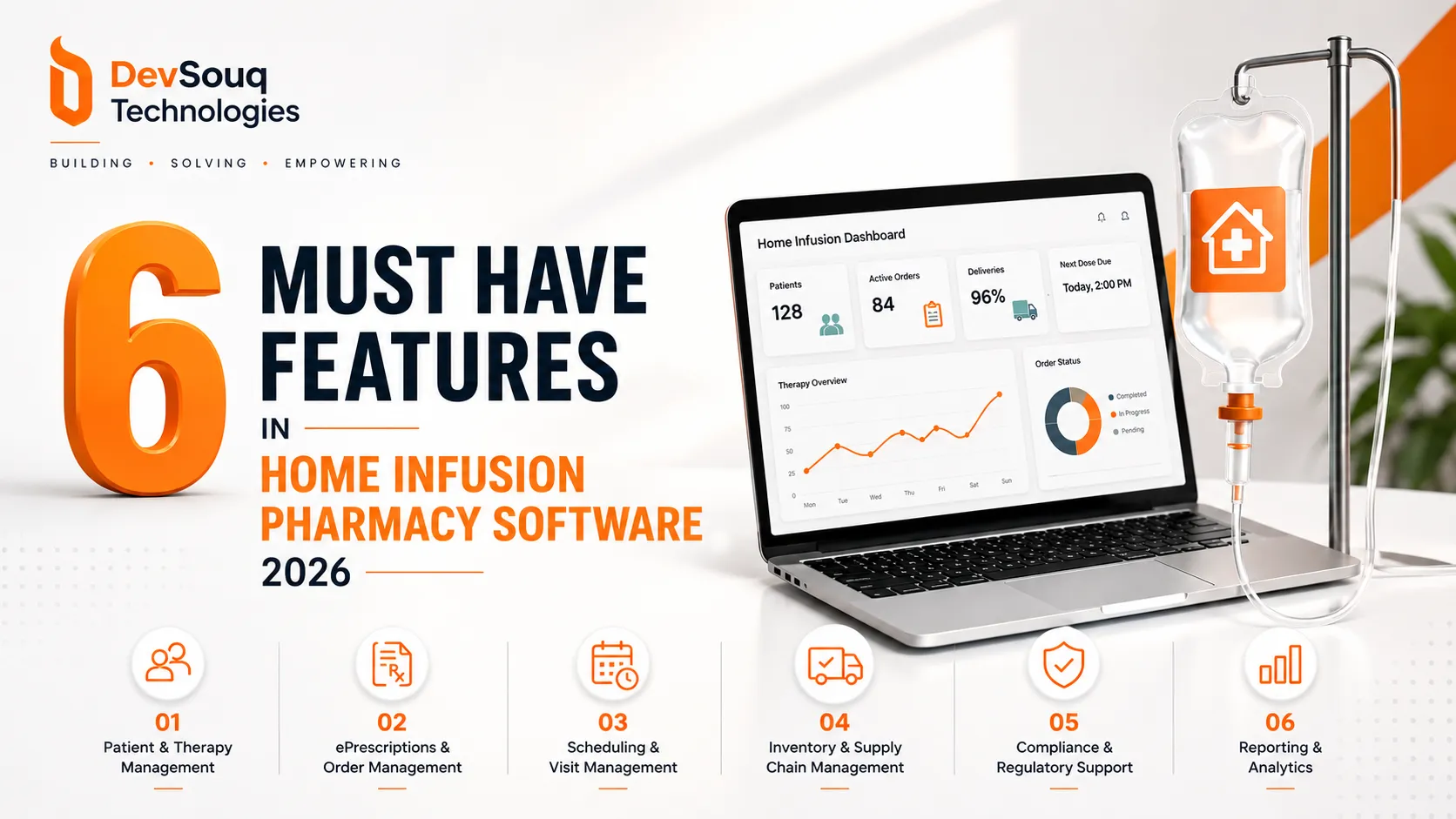
Home infusion pharmacy software manages the full workflow of a patient receiving IV therapy at home: patient and order management, sterile compounding and inventory tracking, delivery coordination synced with nurse scheduling, billing and revenue cycle management, compliance documentation for USP <797> and controlled substances, and integration with EHR and payer systems. A gap between any two of these functions typically surfaces as a denied claim, a failed compliance audit, or a missed nurse visit.
Key Takeaway
- The right decision comes from an honest look at actual patient volume and operational complexity, not a side by side features chart.
- Home infusion pharmacy software succeeds or fails on workflow fit, not feature count a long feature list means nothing if it does not match how the pharmacy actually operates.
- Six functions have to work as one connected process: patient and order management, sterile compounding and inventory, delivery and nurse scheduling, billing and revenue cycle management, compliance documentation (USP <797>, controlled substances, HIPAA), and EHR/payer integration.
- Off the shelf platforms are often genuinely the right call for single location pharmacies with standard workflows and no unusual compliance or payer complexity.
- Custom software starts making sense once the pharmacy runs multiple locations, an unusual payer mix, or compounding protocols that do not map onto a vendor’s default templates.
- Cost and timeline depend on scope, not a flat price: integration count, compounding complexity, and number of distinct user roles drive the number more than anything else.
What Home Infusion Pharmacy Software Actually Does
Home infusion pharmacy software manages the complete path a patient’s IV therapy takes from physician order to administered dose. That single sentence covers more ground than it sounds like it should.
A physician or hospital sends an order. The pharmacy verifies it against the patient’s history and insurance. A pharmacist reviews and compounds the medication, often a custom formula rather than something pulled off a shelf. A delivery is scheduled to arrive at the patient’s home in step with a nurse visit. The nurse administers the therapy and documents the visit. The pharmacy bills the payer, using documentation generated at every prior step as proof of medical necessity.
Software that only handles pieces of that chain forces staff to bridge the gaps by hand, usually with spreadsheets, phone calls, and someone’s memory of who called who. Software built to run the whole chain removes that manual bridging, and that is the actual value proposition, not efficiency in the abstract.
The Core Features It Needs to Run Without Gaps
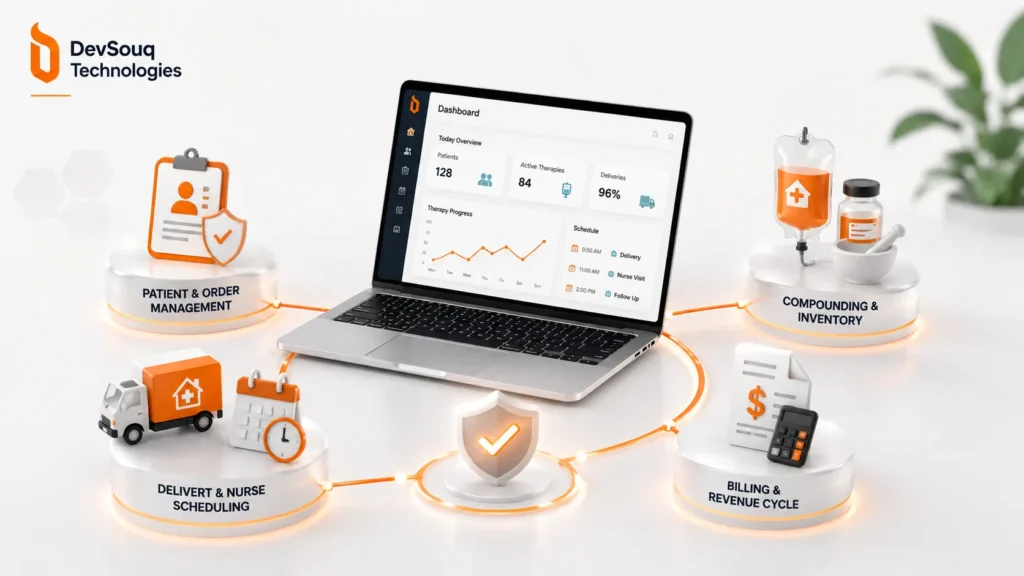
Four feature groups do almost all the work in a home infusion pharmacy platform, and each one earns its place because a specific failure mode shows up when it is missing.
Patient and Order Management
The system needs a full patient record: diagnosis, allergies, insurance, referral source, and an active therapy plan that updates as treatment continues. Order management tracks each prescription’s dosage, frequency, and duration, and flags a renewal before therapy lapses. Miss this, and therapy gaps happen quietly, discovered only when a patient calls asking where their next shipment is.
Compounding and Inventory
Home infusion pharmacies compound custom IV formulas rather than dispensing prepackaged drugs. That means the software needs recipe templates, batch records, lot tracking, and expiration monitoring built specifically for compounded sterile preparations, not adapted from a retail pharmacy system. Inventory tied to compounding also needs to track degradation, since compounded medications often carry shorter shelf lives than manufactured ones. For pharmacies running high volumes across multiple sites, this is where dedicated pharmacy inventory tracking earns its place instead of a bolt-on spreadsheet
Delivery and Nurse Scheduling
A delivery and a nurse visit need to land on the same day, sometimes the same hour, for a lot of infusion therapies to work. Route planning, nurse availability, and delivery windows belong on one shared calendar rather than three separate ones someone reconciles manually. Patient engagement software that lets patients confirm or reschedule visits directly cuts down on missed appointments considerably.
Billing and Revenue Cycle
Home infusion billing runs through a mix of Medicare, Medicaid, and commercial payers, each with its own authorization and documentation rules. The software needs to generate claims backed by documentation created earlier in the workflow, not require staff to reassemble it after the fact. Tools built for infusion billing specifically track days sales outstanding and denial patterns by payer, which matters more here than in most other pharmacy settings. Getting that right is closely tied to how the pharmacy handles claims processing more broadly.
Sterile Compounding and USP <797> Compliance
USP <797> is the compounding standard home infusion pharmacies must follow, and it is specific about what needs to be documented, not just how compounding should physically happen. The software needs to log environmental monitoring, staff competency records, batch preparation records, and beyond use dating for every compounded product. An auditor asking for six months of batch records deserves a complete answer in minutes, not a week of pulling paper files.
Controlled substance reporting adds another layer. Many infusion therapies involve controlled substances, which means the system also needs state prescription monitoring program reporting and DEA recordkeeping built in, not bolted on as an afterthought.
All of this sits on top of standard HIPAA requirements for protected health information, since every one of these records contains patient data. Between USP <797> documentation, controlled substance reporting, and HIPAA, security is not a single checkbox. It is a set of overlapping obligations the software architecture has to satisfy simultaneously.
If this is the point where security starts feeling like a second full time job, DevSouq’s cybersecurity software development team handles this as part of the build rather than as an afterthought.
Off the Shelf vs Custom: Where Packaged Tools Start to Bend
Every major platform in this space, Inovalon’s ScriptMed, WellSky’s CareTend, AlayaCare, covers the same base feature set: compounding, delivery, billing, compliance documentation. For a single location pharmacy running fairly standard workflows, one of these packaged systems is often genuinely the right call. The honest truth is that custom software is not automatically better, and a pharmacy with straightforward operations that fit a vendor’s default workflow gains little from building something bespoke.
The calculation changes once the pharmacy’s actual operation stops matching the template. Several locations with different state compliance rules, an unusual payer mix, compounding protocols that do not map cleanly onto a vendor’s standard templates, or an existing system the pharmacy has already outgrown, all of these push toward custom pharmacy management software instead of another packaged license.
| Off the Shelf | Custom Built | |
|---|---|---|
| Setup time | Faster initial rollout | Longer initial build, matched to real workflow |
| Workflow fit | Pharmacy adapts to the software | Software adapts to the pharmacy |
| Ongoing cost | Recurring license fees, feature bundling | Upfront build cost, no forced bundle fees |
| Scalability | Works until growth outpaces the template | Built to scale with the pharmacy’s actual growth path |
I could be wrong about where exactly that line sits for any specific pharmacy, since the honest answer depends on the details of a given operation more than any general rule can capture.
Integration: EHRs, Billing, and What You Already Run
Integration claims across most vendor pages stop at “integrates with EHRs” without saying how. In practice, integration runs through a small number of specific standards. HL7 and FHIR handle clinical data exchange with hospital and physician EHR systems. Electronic prescribing standards, the same ones retail pharmacy runs on, handle order transmission from prescribers. Billing integration runs through clearinghouses that route claims to Medicare, Medicaid, and commercial payers.
A system that only integrates loosely, exporting a file here, requiring manual entry there, creates exactly the kind of gap covered in the Quick Answer section above. Revenue cycle management software built for infusion specifically ties claims generation directly to the clinical documentation already captured, rather than asking billing staff to reconstruct it from scratch.
An existing pharmacy management system, if the pharmacy already runs one for retail or specialty operations, needs a clear migration or coexistence path. Rebuilding data pipelines from an old system is usually the single largest hidden cost in adopting new software, and it deserves attention before a contract is signed, not after.
What It Costs and How Long a Custom Build Takes
Vendor pricing for packaged platforms tends to run as enterprise licensing, often five or six figures annually depending on scale, with hardware and implementation fees layered on top. Custom development works differently: cost is driven by the specific scope of the build rather than a per seat license number.
Three variables move the number more than anything else. The number of integrations required, EHRs, billing clearinghouses, existing pharmacy systems, each adds development and testing time. Compounding complexity matters too, since batch record logic for a pharmacy handling dozens of custom formulas takes longer to build correctly than a simpler operation. The number of distinct user roles, pharmacists, nurses, billing staff, delivery coordinators, each needing different permissions and views, also adds real scope.
A typical mid sized home infusion platform build, covering the core feature set described above, commonly runs several months from locked requirements to launch. The honest answer is that it depends on scope, and pinning down that scope is really the whole exercise.
Nurse Scheduling and Delivery Logistics
Nurse scheduling software built for home infusion needs to solve a routing problem retail delivery software never has to touch: a delivery and a clinical visit need to land together, and neither one is much good without the other. The system needs to match nurse availability and location against delivery windows, then adjust automatically when either side changes, a nurse calling in sick, a delivery delayed by weather, a patient rescheduling.
Automated scheduling logic, the kind that recalculates routes and visit windows when something shifts, cuts down on the phone calls that otherwise eat a coordinator’s entire day. Manual rescheduling across a spreadsheet works for a handful of patients. It stops working somewhere around the point a pharmacy is coordinating dozens of daily visits across multiple nurses and delivery routes.
Common Mistakes When Choosing This Software
Choosing on feature checklist alone. A long feature list does not guarantee any of those features fit how a specific pharmacy actually operates day to day.
Underestimating compliance documentation until an audit exposes the gap. USP <797> and controlled substance reporting requirements are easy to overlook until an auditor asks a specific question the system cannot answer.
Ignoring integration depth until go live. Surface level integration claims often mean manual data entry once the system is actually running.
Assuming specialty pharmacy software transfers directly to home infusion. The two share a lot of overlap, but home infusion’s delivery and nurse coordination requirements are distinct enough that a system built for one does not automatically fit the other.
How to Choose: A Short Framework
Start with actual patient volume and location count, not projected volume. Map current compounding complexity against what the software templates assume. Check integration depth against every system already in use, not just the EHR. Then weigh setup time against long term workflow fit, since the system fastest to launch is not always the one that fits longest.
The Right Fit Beats the Longest Feature List
The best home infusion pharmacy software is not the one with the most features. It is the one that matches actual patient volume, real compounding complexity, and the payer mix the pharmacy actually deals with day to day. A packaged platform handles that well for plenty of pharmacies. Others need something built around the specific way they already work rather than the other way around.
Figuring out which side of that line a given pharmacy falls on usually takes an actual look at scope, not a features comparison chart. As part of our broader healthcare software development work, a DevSouq scope review is a straightforward way to get that answer.
Frequently Asked Questions
What software do most pharmacies use?
Most U.S. retail pharmacies run on pharmacy management systems like PioneerRx, BestRx, QS/1, or Liberty Software, while hospital pharmacies typically integrate pharmacy modules within Epic, Oracle Health (Cerner), or Meditech.
What is infusion software?
Infusion software manages the workflow for IV therapy delivery: patient orders, sterile compounding, inventory, delivery or nurse scheduling, billing, and compliance documentation, connecting each step so care and reimbursement stay in sync.
What is the best free pharmacy inventory software?
There is no single best free option; Odoo Inventory and small vendor starter tiers offer free or low cost inventory tracking, but “best” depends on pharmacy size and whether compounding or compliance tracking is needed.
What are the most common software used in hospital pharmacy?
Hospital pharmacies commonly run pharmacy modules inside major EHR platforms, Epic, Oracle Health (Cerner), and Meditech, often paired with automated dispensing systems like Pyxis for medication tracking at the point of care.
What is pharmacy software called?
It is generally called pharmacy management software or a pharmacy information system, with more specific terms like infusion pharmacy software or specialty pharmacy software used for particular practice settings.
What are the top 5 pharmacies?
By 2024 U.S. prescription dispensing revenue, the largest retail pharmacy companies are CVS Health, Walgreens Boots Alliance, followed by Cigna, UnitedHealth Group, and Kroger, though rankings shift year to year and vary by whether specialty and PBM-owned pharmacies are included.
How much does Pharmacy Pro software cost?
Pricing for products marketed as “Pharmacy Pro” varies by vendor and isn’t standardized; most pharmacy management software runs from monthly subscription fees for small operations to enterprise licensing in the tens of thousands annually for larger, multi-location setups.
Which software is used in pharmacology?
Pharmacology research and education commonly use simulation and modeling tools like GraphPad Prism, PK-Sim, or MATLAB for drug interaction and pharmacokinetic modeling, distinct from pharmacy operations software used in dispensing.
What is ECM pharmacy software?
ECM stands for Enterprise Content Management; in a pharmacy context, it refers to software that stores, organizes, and retrieves documents like prescriptions, compliance records, and patient files in a searchable, auditable digital system.
Are there any pharmacy apps?
Yes, many pharmacies offer patient facing apps for refill requests, delivery tracking, and secure messaging, often built on top of their core pharmacy management or engagement platform rather than as a separate standalone product.