Quick Answer:
For growing businesses that want to keep costs down over the long term, a custom build from Devsouq Technologies is often the most cost efficient financial modelling software, with no per user licences or retainer fees. If you prefer a subscription platform, Workday Adaptive Planning is the strongest all rounder, Finmark suits early stage founders, and Shortcut leads the AI financial modeling tools.
Key takeaways
- Choose the category first. Most bad purchases come from buying the right product in the wrong category.
- Spreadsheet errors are common. 94% of 88 audited spreadsheets contained at least one error.
- Excel teams adopt Excel first tools faster. Vena, Cube, and Datarails keep the interface analysts already know.
- AI starts models but cannot finish them. The top tool scored 5.9 out of 10, below the 6.4 of a low tier analyst.
- Look past the license price. Budget for implementation, integrations, admin, training, and exit costs.
- Test with your own data. Run a proof of value on real actuals, not a vendor demo.
- Go custom when your logic is your edge. Proprietary logic, unusual data, or client facing use justify a build or hybrid.
The 10 Best Financial Modelling Software Tools at a Glance
Workday Adaptive Planning is the best all round choice for mid market and enterprise teams, Finmark is the easiest start for early stage founders, and Shortcut leads the AI financial modeling tools for building models inside Excel.
| Rank | Software | Best for | Category | Pricing model |
|---|---|---|---|---|
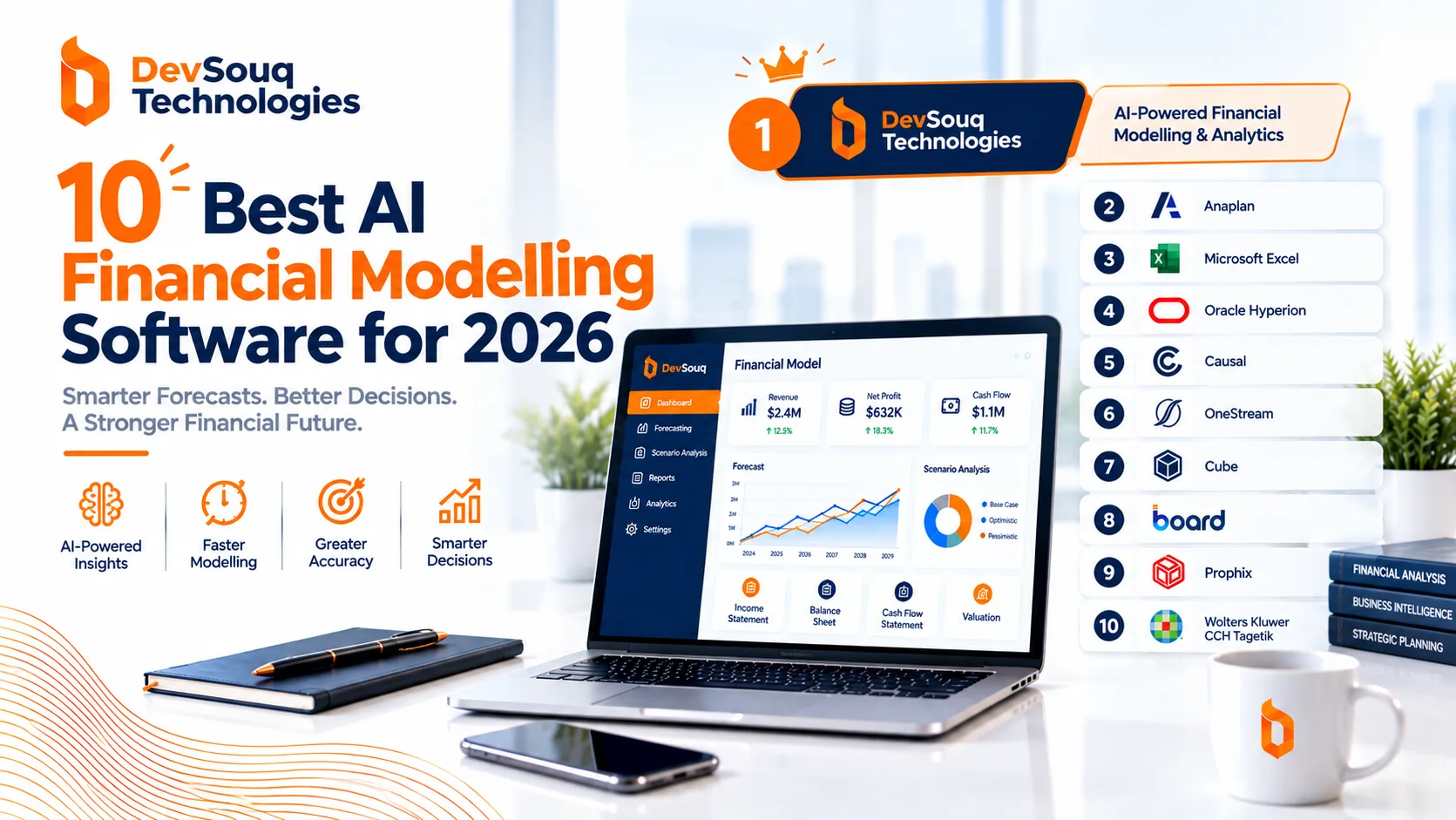
| 1 | DevSouq custom build | Businesses with unique logic, growing teams or client facing needs | Custom finance software | Project based, no licence or retainer fees |
| 2 | Anaplan | Large enterprises planning across finance, sales and supply chain | Cloud planning suite | Custom quote |
| 3 | Oracle Fusion Cloud EPM | Global enterprises that need planning plus financial close | Cloud planning suite | Custom quote |
| 4 | Pigment | Fast scaling companies wanting modern, collaborative planning | Cloud planning suite | Custom quote |
| 5 | Vena | Finance teams that want to keep Excel but add controls | Excel first | Custom quote |
| 6 | Datarails | Excel native teams consolidating several entities | Excel first | Custom quote |
| 7 | Cube | Spreadsheet teams that want live data sync | Excel first | Custom quote |
| 8 | Abacum | Mid market and SaaS finance teams | Growth stage FP&A | Custom quote |
| 9 | Finmark by BILL | Early stage founders building a first model | Growth stage FP&A | Subscription that scales with revenue |
| 10 | Shortcut | AI assisted model building in Excel | AI financial modeling tool | Subscription |
Why Financial Modelling Software Matters Now
Spreadsheets are flexible, but they fail quietly. Dedicated finance modeling software exists because the error rate of manual models is far higher than most teams assume.
Spreadsheet errors are the norm, not the exception
Research led by Professor Raymond Panko at the University of Hawaii is the most cited body of work on spreadsheet risk. Across field audits of 88 operational spreadsheets, 94% contained at least one error, with an average cell error rate of 5.2%.
Experience does not fix it. Panko and Sprague found no significant difference in error rates between undergraduates, inexperienced MBA students and MBA students with more than 250 hours of spreadsheet experience.
The maths explains why. If each unique formula has a small chance of being wrong, the chance that the whole model contains an error compounds with every formula you add:
| Error rate per unique formula | Unique formulas in the model | Chance of at least one error |
|---|---|---|
| 1% | 50 | about 39% |
| 1% | 200 | about 87% |
| 1% | 500 | over 99% |
A typical three statement model with supporting schedules easily passes 200 unique formulas. That is why version control, locked logic and audit trails are core features of every platform on this list.
Finance teams are adopting AI, but carefully
- In Gartner’s latest AI in Finance survey of 183 CFOs and senior finance leaders, 59% reported using AI in their finance function, up only slightly from 58% the year before.
- The jump before that was sharp: adoption rose from 37% to 58% in a single survey cycle, then flattened as data, complexity and talent challenges slowed rollouts.
- A separate Gartner survey of 204 finance leaders found 45% of finance AI investments lean toward productivity, while only 20% lean toward decision quality.
The practical reading: AI features are now standard in financial modelling software, but the value comes from better decisions, not just faster spreadsheets. Judge every AI feature on whether it improves the quality of a forecast, not just the speed of producing one.
Find Your Best Financial Modelling Software
The hidden costs of weak modelling
- Slow answers: when updating a model for a board or investor meeting takes a week, the decision window often closes first.
- Plugged balance sheets: manual models often use a plug to force the balance sheet to balance, which hides real cash problems.
- Key person risk: a model that only one analyst understands becomes a liability the day that analyst leaves.
- No single source of truth: sales, HR and finance each keep their own numbers, and meetings turn into arguments about which file is right.
How We Chose These Tools
We ranked each platform on six criteria that decide whether finance modeling software actually gets used after the contract is signed.
| Criterion | What we looked for |
|---|---|
| Data integration | Native connectors to ERP, accounting, CRM, HRIS and payment systems, so actuals flow in without manual exports |
| Modelling depth | Driver based models, unlimited scenarios, sensitivity analysis and rolling forecasts |
| Controls | Audit trails, version history, role based permissions and locked calculation logic |
| Time to value | How quickly a typical team moves from contract to a working forecast |
| AI usefulness | Whether AI features improve forecast quality, not just add a chat window |
| Fit by stage | Clear alignment with a company size, from seed stage to global enterprise |
We drew on verified user ratings from Gartner Peer Insights for financial planning software, the Wall Street Prep benchmark of AI financial modeling tools, and each vendor’s published product documentation. Ratings quoted below are a snapshot and change as new reviews arrive.
The four categories of financial modelling software
Understanding the category matters more than the brand. Most bad purchases happen when a team buys the right product from the wrong category.
- Cloud planning suites replace spreadsheets with a central planning database. They suit organisations with many contributors, many entities or planning that spans finance, sales and operations.
- Excel first tools keep your models in Excel or Google Sheets and add data connections, consolidation, workflow and audit trails around them.
- Growth stage FP&A tools trade some depth for speed. They connect to your accounting and payroll systems and produce investor ready forecasts within days.
- AI financial modeling tools build or edit models from natural language prompts, usually inside Excel. They accelerate the first draft but do not replace review.
The 10 Best Financial Modelling Software Platforms
1- Devsouq Technologies- Custom Built Financial Modelling Software
Best for: companies whose forecasting, pricing or investment logic is too specific, too sensitive or too valuable to squeeze into an off the shelf platform.
Every tool above rents you someone else’s idea of how finance should work. You pay every year, per user or per module, and your processes bend to fit the vendor’s roadmap. A custom build flips that model. You pay once to build software shaped around how your business actually plans, and it keeps working for you without a licence bill that grows every time your team does.
DevSouq, a leading custom finance software development company, designs and builds financial modelling systems around your own data, rules and reporting needs. That ranges from forecasting engines connected to your ledger through custom accounting software development, to allocation and return modelling built through custom investment portfolio management software.
Standout features
- Built around your logic: your drivers, your approval flows, your entity structure and your KPIs, with no workarounds
- Connects to anything: legacy databases, industry data feeds and internal systems that no packaged connector supports
- No per user licence ceiling: give access to every budget owner, analyst or client without cost rising with headcount
- No retainer fees: you are not locked into a monthly retainer just to keep your own system running
- Room to grow: new entities, products, scenarios or client facing features can be added as the business evolves
Why custom is the cost efficient choice long term
| Cost factor | Subscription platform | Custom build |
|---|---|---|
| Licence fees | Paid every year, often rising at renewal | None |
| Cost as your team grows | Increases with every new user or module | Stays flat |
| Retainer or mandatory services | Often needed for admin and model changes | No retainer fees |
| Price control | Set by the vendor | Set by you |
| Fit to your process | You adapt to the tool | The tool adapts to you |
| Value over time | Ends when you stop paying | An asset your business keeps |
Subscription costs look small in year one and compound every year after. A custom system concentrates the investment up front. After that, every additional user, entity and year of use makes it cheaper per unit, which is why it becomes the more economical option over a multi year horizon for growing teams.
Pricing: project based, scoped to your requirements. DevSouq offers a scope review to estimate cost and timeline before any commitment.
Limitations: a custom build needs a larger upfront investment and a longer runway than signing up for a subscription tool. It is rarely the right choice for an early stage company with a simple, standard planning process.
Choose it if your model is part of your competitive edge, your user count is growing, or you are tired of paying more every year for software that still doesn’t fit.
2. Anaplan
Best for: large enterprises running connected planning across finance, sales, supply chain and workforce.
Gartner Peer Insights rating: 4.5 out of 5 from 381 ratings.
Anaplan is built for scale. Its proprietary Hyperblock calculation engine handles very large, multidimensional models where a change in a sales assumption ripples through supply chain, headcount and cash in real time.
Standout features
- Connected planning across every major business function
- Handles massive datasets and highly dimensional models
- Strong scenario modelling for operational and financial plans together
- Large partner ecosystem for implementation
Pricing: custom quote, typically at the higher end of the market.
Limitations: the learning curve is steep. Most customers rely on certified model builders and implementation partners, which adds cost and time.
Choose it if your planning problem is bigger than finance and you have the budget to staff it properly.
3. Oracle Fusion Cloud EPM
Best for: global enterprises that want planning, consolidation and financial close in one suite.
Gartner Peer Insights rating: 4.8 out of 5 from 364 ratings, with a Customers’ Choice designation, the highest rating among the most reviewed products in the category.
Oracle Fusion Cloud EPM covers planning, budgeting, forecasting and financial close. It is the natural choice for organisations already running Oracle ERP, and it handles the regulatory and multiple currency complexity that global groups face.
Standout features
- Planning, consolidation, close, account reconciliation and narrative reporting modules
- Strong multiple entity and multiple currency consolidation
- Deep integration with Oracle Fusion Cloud ERP
- Prebuilt planning content for financials, workforce, projects and capital
Pricing: custom quote, usually licensed per module.
Limitations: implementations are substantial projects, and the platform can feel heavy for companies that only need FP&A.
Choose it if you are a complex, global organisation where close, consolidation and planning must share one source of truth.
4. Pigment
Best for: fast scaling companies that want a modern, collaborative planning platform.
Gartner Peer Insights rating: 4.7 out of 5 from 229 ratings.
Pigment is the newer generation of business planning software. It connects people, data and processes so finance, sales, supply chain and HR can build plans together in one visual workspace.
Standout features
- Clean, visual interface that business users adopt quickly
- Flexible multidimensional modelling without spreadsheet formulas
- Real time collaboration with comments and approvals
- Built in AI features for analysis and model building
Pricing: custom quote.
Limitations: a younger ecosystem than Anaplan or Oracle, so fewer implementation partners and templates in some regions.
Choose it if you have outgrown spreadsheets, plan across several functions and want faster adoption than a traditional enterprise suite.
5. Vena
Best for: finance teams that want to keep Excel but need central data, workflow and controls.
Gartner Peer Insights rating: 4.5 out of 5 from 342 ratings.
Vena connects native Excel templates to a secure cloud database. Your analysts keep the interface they know, while Vena adds the governance that spreadsheets lack: permissions, approval workflows and a full audit trail.
Standout features
- Native Excel interface backed by a central database
- Workflow for budget submissions, reviews and approvals
- Strong fit with the Microsoft ecosystem, including Teams and Power BI
- Prebuilt templates for budgeting, forecasting and reporting
Pricing: custom quote.
Limitations: because it stays close to Excel, very large or highly dimensional models can hit performance limits that purpose built planning engines avoid.
Choose it if adoption risk is your biggest concern and your team refuses to give up Excel.
6. Datarails
Best for: Excel native finance teams that consolidate several entities every month.
Datarails automates the consolidation work that eats days of every month end for groups with several entities, ERPs and charts of accounts. Finance teams keep working in Excel while Datarails handles data collection, mapping and reporting.
Standout features
- Multiple entity consolidation with currency management and audit trails
- FP&A Genius, a conversational AI assistant trained on your financial data
- Version control and full change logs for compliance
- Automated board and management reporting
Pricing: custom quote. A free trial is listed for the Growth plan.
Limitations: reviewers report that setup and data mapping take real effort, and some users see slower performance with very large datasets.
Choose it if consolidation, not forecasting, is where your team loses the most time.
7. Cube
Best for: spreadsheet loving finance teams that want live data without rebuilding their models.
Cube takes a spreadsheet first approach. It adds two way sync between Excel or Google Sheets and a central data layer, so models stay connected to live actuals from your ERP, CRM, HRIS and accounting systems.
Standout features
- Native add ins for Excel and Google Sheets with two way sync
- Automated data consolidation with drill downs to source transactions
- Scenario analysis without rebuilding spreadsheets
- AI assisted forecasting for revenue, expenses and seasonality
Pricing: custom quote. Third party reviews quote widely different figures, so request a written quote for your team size.
Limitations: because models still live in spreadsheets, their quality depends on how well your team designs them.
Choose it if you want most of the benefits of an FP&A platform with the least change to how your analysts work.
8. Abacum
Best for: mid market and SaaS finance teams that want collaborative FP&A without enterprise complexity.
Gartner Peer Insights rating: 4.6 out of 5 from 53 ratings, and one of the highest rated products for willingness to recommend.
Abacum helps finance teams build collaborative models, consolidate real time performance data and share reports with budget owners. It sits between startup tools and enterprise suites.
Standout features
- Collaborative planning with department budget owners
- Prebuilt SaaS metrics such as ARR, churn and net revenue retention
- Integrations with common ERPs, CRMs and HRIS platforms
- Reporting and dashboards for board packs
Pricing: custom quote.
Limitations: a smaller review base than the enterprise suites, and less suited to very large, highly regulated groups.
Choose it if you are a scaling company that needs budget owners involved in planning without buying an enterprise suite.
9. Finmark by BILL
Best for: early stage founders and small businesses building their first real financial model.
Finmark was built for non finance users. BILL, the financial operations platform for small and midsize businesses, completed its acquisition of Finmark to add planning and cash flow insight to its platform.
Standout features
- Guided model building with no formulas to write
- Integrations with QuickBooks, Xero, Stripe and Gusto for automatic actuals
- Budget versus actuals and scenario comparison in one dashboard
- Board ready reports and runway calculations
Pricing: subscription that scales with annual revenue, with a free trial.
Limitations: companies with several entities, complex revenue recognition or large finance teams will outgrow it.
Choose it if you are a founder who needs an investor ready model this week, not next quarter.
10. Shortcut
Best for: analysts who want an AI agent to build and edit models directly inside Excel.
Shortcut is an Excel add in developed by Fundamental Research Labs. Unlike general chat assistants, it is built specifically for financial analysis and modelling, and it ranked first in the most rigorous public test of AI financial modeling tools to date.
Standout features
- Builds full models, including three statement models, from a written brief
- Asks clarifying questions before it starts, as a good junior analyst would
- Applies investment banking formatting conventions consistently
- Works inside your existing Excel workbooks
Pricing: subscription.
Limitations: like every AI tool tested, it can produce plausible but wrong historical data. Every number needs a check against source filings.
Choose it if your team builds many models from scratch and wants to cut the first draft from hours to minutes.
How AI financial modeling tools actually perform
Wall Street Prep, which trains analysts at investment banks and private equity firms, asked four AI tools to build a fully integrated three statement model for Apple using its 10 K, its quarterly press release and consensus estimates. Each output was graded on the same scale used for human analyst trainees.
| Tool or analyst | Overall score out of 10 |
|---|---|
| Top human analyst | 9.4 |
| Mid human analyst | 7.9 |
| Low human analyst | 6.4 |
| Shortcut | 5.9 |
| Claude | 5.5 |
| Microsoft Copilot (Agent Mode) | 4.4 |
| ChatGPT | 2.5 |
What the test found
- Speed is real. Shortcut and Claude finished setup in roughly 15 minutes, Copilot in about 25 and ChatGPT in close to an hour. A capable analyst needs two to three hours for the same task.
- Data accuracy is the weak point. On the first attempt, Shortcut and Claude hallucinated significant portions of historical data. The errors were subtle: wrong line items that still added up to correct subtotals.
- Integration is shallow. No tool modelled interest from cash and debt balances, so no model contained a proper circularity. Most relied on plugs rather than a true link between the statements.
- Even the winner trails a weak analyst. Shortcut’s 5.9 sits below the 6.4 scored by a low tier human analyst.
How to use AI financial modeling tools safely
- Upload your sources. Give the tool the 10 K, management accounts or trial balance instead of asking it to find data online. This removes the largest source of error.
- Use it for the first 60%. Let AI build structure, formatting and schedules, then have an analyst finish the logic.
- Audit where errors hide. Check line items, not just subtotals, and trace every hardcoded number to a source.
- Check the links. Confirm the cash flow statement explains every balance sheet movement, with no plug.
- Keep data governance in mind. Confirm where uploaded financial data is processed and stored before using any AI tool with confidential numbers.
Financial Modelling Software Comparison Table
The biggest difference between these tools is how they treat Excel: some replace it, some wrap it and some work inside it.
| Software | Relationship with Excel | Planning scope | Best company size | Gartner Peer Insights |
|---|---|---|---|---|
| DevSouq custom build | Imports, exports or replaces, built to your needs | Built around your own planning and investment logic | Growth to enterprise | 4.9 (453 ratings) |
| Anaplan | Replaces | Finance, sales, supply chain, workforce | Large enterprise | 4.5 (381 ratings) |
| Oracle Fusion Cloud EPM | Replaces, with Excel add in | Planning, close, consolidation | Large enterprise | 4.8 (364 ratings) |
| Pigment | Replaces | Finance, sales, supply chain, HR | Growth to enterprise | 4.7 (229 ratings) |
| Vena | Wraps Excel | FP&A and operational planning | Mid market to enterprise | 4.5 (342 ratings) |
| Datarails | Wraps Excel | FP&A, consolidation, reporting | Growth to mid market | Not in this category |
| Cube | Syncs with Excel and Google Sheets | FP&A | Growth to mid market | Not in this category |
| Abacum | Replaces | FP&A | Growth to mid market | 4.6 (53 ratings) |
| Finmark by BILL | Replaces | Startup forecasting and cash flow | Early stage | Not in this category |
| Shortcut | Works inside Excel | Model building and analysis | Any, analyst led | Not in this category |
Interactive Tool: Which Financial Modelling Software Fits You?
Answer four questions and the fit finder returns your three strongest matches from this list. Treat the result as a shortlist to take into demos, not a final decision.
How to Choose Financial Modelling Software
Start with your planning process, not a feature list. The best finance modeling software for you is the one your team will still be using in three years.
Step 1: Write down your requirements before you look at vendors
Gartner’s peer lessons for this market, drawn from customer reviews, put this first: establish a clear requirements baseline before scanning the market. Answer these questions in writing:
- Which decisions will the model support: budgets, fundraising, hiring, pricing or capital investment?
- Who builds the model, and who only submits numbers or reads reports?
- Which systems hold your actuals, and how clean is that data today?
- How many entities, currencies and charts of accounts must you consolidate?
- What is the maximum you can spend on licences and implementation combined?
Step 2: Run a proof of value, not a feature demo
Vendor demos use perfect data. Ask each shortlisted vendor to build one real scenario using your own trial balance or last quarter’s actuals. Then score them on:
- How long it took to load and map your data
- Whether a non expert on your team could change an assumption and trace the result
- How the tool handles a scenario you define, not one it has prepared
- What it takes to add a new entity, product line or cost centre
Step 3: Calculate total cost of ownership
The licence is rarely the largest cost. Build a three year view that includes every line below.
| Cost line | What to ask |
|---|---|
| Licences | Per user, per module or per revenue band? What happens at renewal? |
| Implementation | Vendor services or a partner? Fixed fee or time and materials? |
| Internal admin | Will you need a dedicated system administrator or model builder? |
| Integrations | Are your ERP, CRM and HRIS connectors included or extra? |
| Training | Is onboarding included for budget owners outside finance? |
| Exit cost | Can you export models, logic and history if you leave? |
Using a corporate finance management platform for investment decisions
Many teams buy planning software for budgeting, then discover its biggest value is in capital and investment decisions. A corporate finance management platform lets you test an investment against the whole business, not in an isolated spreadsheet.
For example, before approving a new production line, a finance team can model:
- Capital cost and timing: phased spend and its effect on cash and covenants
- Operating impact: extra headcount, maintenance and energy costs flowing through the P&L
- Return metrics: NPV, IRR and payback under base, upside and downside cases
- Stress tests: what happens if demand falls 20% or financing costs rise
Driver based platforms such as Workday Adaptive Planning, Anaplan, Oracle Fusion Cloud EPM and Pigment handle this well because one change in a driver flows through every statement. For portfolio level investment work, such as tracking holdings, allocation and returns across many assets, a dedicated portfolio management system is usually a better fit than an FP&A tool.
Quick decision guide
| If your situation is | Start with |
|---|---|
| Early stage founder, one entity, simple revenue | Finmark by BILL |
| Growth company, Excel loving team | Cube or Vena |
| Several entities and painful month end consolidation | Datarails or Oracle Fusion Cloud EPM |
| Scaling company planning across several functions | Pigment or Abacum |
| Mid market or enterprise all rounder | Workday Adaptive Planning |
| Very large, connected enterprise planning | Anaplan or Oracle Fusion Cloud EPM |
| Analysts building many models from scratch | Shortcut, alongside your planning platform |
Build vs Buy: When Custom Finance Modeling Software Makes Sense
For most companies, one of the ten platforms above is the right answer. Off the shelf software is faster to deploy, cheaper at small scale and maintained by the vendor. Custom software only wins when your model is part of what makes your business different.
Signs that off the shelf software will fit
- Your planning follows standard budgeting, forecasting and reporting cycles
- Your data lives in mainstream ERP, accounting and CRM systems with existing connectors
- Only your internal finance team uses the model
- You can adapt your process to the tool without losing a competitive edge
Signs that a custom build is worth evaluating
- Proprietary logic: your pricing, credit, risk or allocation rules are unique and sit at the core of your business
- Unusual data sources: your model depends on operational systems, legacy databases or industry feeds that no vendor connects to
- Client facing use: you want to put modelling or forecasting in front of customers inside your own product
- Seat economics: per user licences become very expensive once hundreds of staff or clients need access
- Tight integration with core finance systems: your forecasts must read from and write back to a ledger or billing platform you control
| Approach | Best when | Main trade off |
|---|---|---|
| Buy a platform | Your process is standard and speed matters most | You adapt to the vendor’s roadmap and pricing |
| Build custom | Your logic or data is a competitive advantage | Higher upfront cost and ownership of maintenance |
| Hybrid | You want a planning platform plus custom connectors or modules | Two systems to govern and integrate |
The hybrid route is often the most practical. A company might keep a planning platform for budgeting, then build a custom layer that feeds it clean actuals from a bespoke ledger, or that runs specialised investment models the platform cannot handle.
This is where a specialist partner helps. DevSouq, a leading custom finance software development company, builds the systems that sit underneath and around financial models. That includes custom accounting software development for businesses whose ledger, entity structure or reporting needs outgrow packaged accounting tools, and custom investment portfolio management software for firms that need allocation, performance and risk modelling built around their own investment process.
Whichever route you take, make the decision with a written business case: compare three year total cost, time to first working forecast and the cost of not owning your core logic.
Common Mistakes When Choosing Financial Modelling Software
Most failed implementations trace back to a handful of avoidable decisions.
- Buying for the demo, not the workflow. A slick dashboard means little if budget owners still email spreadsheets to finance. Map your actual planning cycle first.
- Skipping data cleanup. New software exposes messy charts of accounts and inconsistent cost centres. Budget time to fix them before go live, or the new model inherits the old problems.
- Choosing the wrong category. An early stage company that buys an enterprise suite pays for complexity it cannot use. A multiple entity group that buys a startup tool outgrows it within a year.
- Underestimating ownership. Every platform needs someone who maintains models, users and integrations. If no one owns it, adoption fades after the first budget cycle.
- Trusting AI output without audit. As the Wall Street Prep test showed, AI tools can produce wrong line items that still sum to correct totals. Review the detail, not the subtotal.
- Comparing licence prices only. A cheaper licence with a long, partner led implementation can cost more over three years than a pricier tool that works in weeks.
- Ignoring the exit. Check how models, logic and history can be exported before you sign, not when you want to leave.
Frequently Asked Questions
What is financial modelling software?
Financial modelling software builds forecasts, budgets and scenario models from your historical data and assumptions. Unlike a spreadsheet, it connects to accounting and operational systems, updates actuals automatically, and adds controls such as version history, permissions and audit trails.
How much does financial modelling software cost?
Early stage tools such as Finmark use subscriptions that scale with revenue. Most mid market and enterprise platforms, including Workday Adaptive Planning, Anaplan and Pigment, quote custom pricing based on users and modules. Budget separately for implementation, integrations and training.
Can AI financial modeling tools build a complete model?
Not reliably yet. In Wall Street Prep’s benchmark, the best AI tool scored 5.9 out of 10, below a low tier human analyst at 6.4. AI financial modeling tools are useful for first drafts, but every number needs review.
Is Excel still good enough for financial modelling?
Excel remains the standard for one off analysis and transaction models. It struggles once many people contribute, several entities must be consolidated, or actuals need updating every month. At that point, an Excel first tool or planning platform reduces errors.
How long does it take to implement financial modelling software?
Growth stage tools can connect to accounting data and produce a first forecast within days. Excel first tools usually take weeks. Enterprise platforms such as Anaplan or Oracle Fusion Cloud EPM often take several months with an implementation partner.
When should a company build custom finance modeling software?
Consider a custom build when your model depends on proprietary logic, unusual data sources, or client facing features that packaged platforms cannot support. Many companies choose a hybrid: a planning platform plus custom integrations or modules around it.