Quick Answer
In the custom vs off-the-shelf financial software decision, buy off the shelf if your processes are standard and you need to launch in weeks. Build custom if your billing, lending, or reporting logic is unique and workarounds or per user fees keep growing. Most teams do best with a hybrid, a packaged ledger plus custom modules where the business is different. DevSouq is a cost efficient custom finance software development company that delivers in phases, so you invest only where the return is clearest. Not sure which side you fall on? Request a free scope review from DevSouq and get a clear buy, build, or combine recommendation before you commit budget.
Key Takeaways
- Off the shelf tools such as QuickBooks, Xero, Sage, and NetSuite are best for standard accounting, payroll, and reporting.
- Custom software pays off when workflows are unusual, transaction volume is high, or per user fees keep climbing.
- Sticker price is misleading. Compare total cost of ownership across three to five years, including workaround labor and exit costs.
- Compliance responsibility shifts. Vendors maintain tax and regulatory updates in packaged tools, while a custom build puts that on you or your development partner.
- A hybrid approach, with a packaged general ledger and custom modules around it, is often the lowest risk path.
The DevSouq Scope Clarity Session
A free, 30-minute session where you leave knowing the real cost, real timeline, and real risks of your project, whether you ever build with us or not.
Book Your Free Scope Clarity Session →What Is Off the Shelf Financial Software?
Off the shelf software is a prebuilt product sold to many customers through a licence or subscription. In finance, that means accounting, invoicing, payroll, expense management, and reporting platforms you can sign up for and use within days or weeks. Well known examples include QuickBooks, Xero, Sage, and NetSuite.
The industry also calls it packaged software or COTS (commercial off the shelf). If you searched for “off shelf and on shelf software”, the standard term is simply off the shelf, meaning ready made software you buy rather than commission.
Modern packaged products are more configurable than the name suggests. Most allow custom fields, approval rules, user roles, templates, and API access. The limit is that all of this happens inside the vendor’s data model and roadmap.
What Is Custom Financial Software?
Custom software, also called bespoke software, is designed and built around one organization’s workflows, rules, and data. “Custom” does not mean every line is written from zero. Good teams combine proven frameworks, cloud services, and payment or identity providers, then build the business logic that is unique to you.
Common custom finance builds include:
- Custom accounting software with your own chart of accounts logic, multi entity consolidation, and approval chains.
- Recurring billing platforms that handle usage based pricing, proration, and complex invoicing schedules.
- Loan servicing systems covering origination, repayment schedules, collections, and reporting.
- Insurance billing software built around premium cycles, commissions, and policy rules.
- Investment portfolio management tools for positions, valuations, and client reporting.
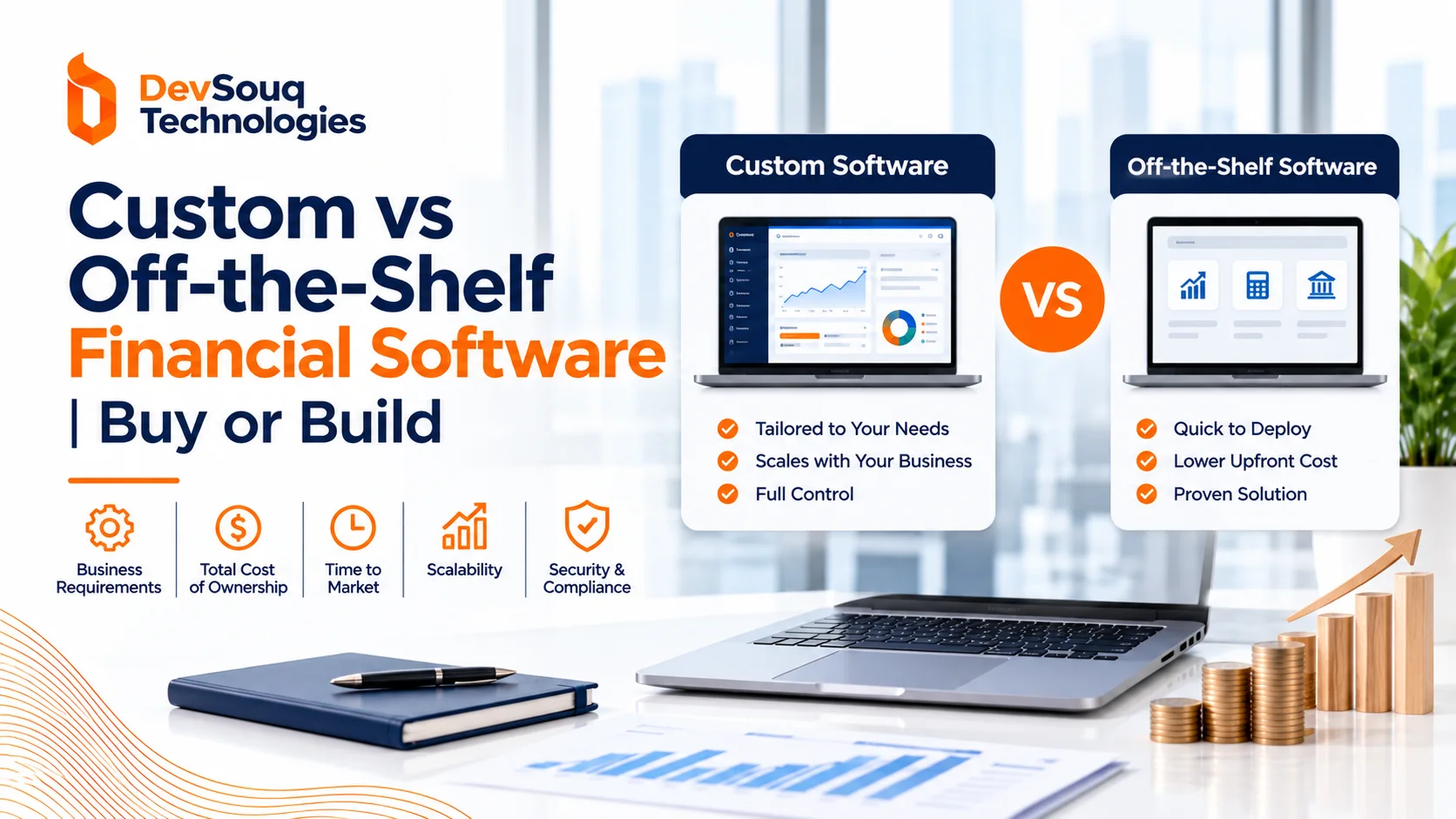
Custom vs Off the Shelf Financial Software at a Glance
| Factor | Off the shelf | Custom |
|---|---|---|
| Upfront cost | Lower, usually subscription based | Higher, covers discovery, design, build, and testing |
| Time to launch | Days to weeks | Typically months, often phased |
| Workflow fit | You adapt processes to the tool | The tool follows your processes |
| Per user fees | Recurring and rising with headcount | None, though hosting and support costs apply |
| Regulatory updates | Handled by the vendor | Your responsibility or your partner’s |
| Integrations | Vendor connectors and APIs | Built to your systems, including legacy platforms |
| Security model | Vendor secures the platform, you configure access | You own design, testing, and operations |
| Data and code ownership | Vendor holds the platform, you hold your data | Depends on contract, can include full code ownership |
| Competitive differentiation | None, rivals buy the same tool | High when logic is proprietary |
Pros and Cons of Each Option
Off the shelf financial software
Pros
- Fast deployment and a lower starting investment.
- Mature features such as bank feeds, reconciliation, invoicing, and standard reports.
- Vendor managed hosting, patches, and tax or regulatory updates.
- Large ecosystems of integrations, consultants, and training material.
Cons
- Workflows bend to the product, which often pushes work into spreadsheets.
- Per user pricing, premium tiers, and add ons increase cost as you grow.
- Limited depth for unusual revenue models, allocation rules, or permissions.
- Vendor control over pricing, roadmap, and export options.
Custom financial software
Pros
- Exact fit for pricing, billing, risk, or reporting logic.
- No per seat licensing, so adding users or clients does not raise software fees.
- Deep integration with internal systems and legacy platforms.
- Control over roadmap, data model, and security design.
Cons
- Higher initial investment and a longer path to launch.
- You carry maintenance, monitoring, and compliance upkeep.
- Quality depends heavily on requirements and on your development partner.
- Poorly documented builds can create dependence on one vendor or developer.
Cost: What Really Drives It
Price and cost are different things. A subscription looks cheap in month one, and a build looks expensive on day one. The honest comparison is total cost of ownership across three to five years.
| Cost component | Off the shelf | Custom |
|---|---|---|
| Acquisition | Setup and implementation fees | Discovery, design, development, testing |
| Recurring | Per user licences, tier upgrades, add ons | Hosting, monitoring, third party API fees |
| Integration | Connectors, middleware, consultant time | Built into the project scope |
| Workaround labor | Manual exports, rekeying, spreadsheet reconciliation | Minimal when workflows are designed in |
| Maintenance | Included in subscription | Commonly planned at roughly 15 to 20 percent of build cost per year as a rule of thumb |
| Change requests | Limited by vendor options | Scoped and prioritized by you |
| Exit | Data migration if you outgrow the platform | Documentation and handover planning |
Use a simple model:
Five year cost = acquisition + recurring fees + integration + workaround labor + maintenance + exit costs
An illustrative example
The numbers below are hypothetical round figures to show how the comparison works. They are not a quote or a benchmark.
| Scenario | Off the shelf annual cost | Custom annual run cost | Custom build cost | Payback period |
|---|---|---|---|---|
| Stable team, light workarounds | 85,000 | 55,000 | 300,000 | About 10 years |
| Growing team, heavy workarounds | 140,000 | 55,000 | 300,000 | About 3.5 years |
The lesson is that custom software is not automatically cheaper. It wins when annual SaaS spend and workaround labor are large and growing. It loses when the packaged tool already fits. For a deeper look at build budgets, see this breakdown of fintech app development cost.
What pushes custom cost up or down
- Number of integrations, especially with legacy or proprietary systems.
- Compliance scope, such as payments, lending, or insurance regulation.
- Complexity of calculation logic, such as interest, proration, allocation, or revenue recognition.
- Reporting depth and user permission models.
- Whether you launch in phases or as one large release.
- The cost structure of your development partner.
A phased build usually lowers risk. Start with the one workflow that costs you the most time, prove the return, then expand.
Finance Specific Factors That Change the Decision
Generic software advice misses what makes finance different. These factors often decide the outcome.
Compliance and regulatory change
Financial systems must keep up with tax rules, electronic invoicing mandates, and reporting standards such as US GAAP and IFRS. Revenue recognition rules under ASC 606 and IFRS 15 are a good example, since contracts with multiple obligations need careful scheduling.
With packaged tools, the vendor ships most of these updates. With custom software, your team or partner must monitor changes and update logic, so budget for it explicitly.
Audit trails and internal controls
Organizations subject to Sarbanes Oxley requirements need reliable internal controls over financial reporting. Whatever you choose, confirm the system supports:
- Immutable logs of who changed what and when.
- Segregation of duties and approval workflows.
- Role based access that matches your control framework.
- Reproducible period close and reconciliation steps.
Custom builds can implement controls exactly as your auditors expect, but only if they are specified up front.
Security and data protection
Vendors usually hold independent attestations such as SOC 2 reports and, where card data is involved, PCI DSS compliance. You still configure access, authentication, and permissions yourself.
Custom software can be secured to your risk profile, but nothing is secure by default. Require secure coding practices, penetration testing, encryption, logging, and a patching plan.
Integrations
Finance rarely runs on one system. Typical connections include banks and payment processors, ERP, payroll, tax engines, and CRM platforms used in finance. Check API limits, sync frequency, error handling, and who maintains each connection. Integration gaps are one of the most common reasons teams outgrow packaged tools.
Reporting and analytics
Packaged reports cover the basics. When leadership needs margin by product, cohort level revenue, or live cash visibility, teams often layer on business intelligence for finance or build dedicated financial modelling software on top of existing data.
Data ownership and exit
You own your data in both cases, but access differs. With packaged tools, test export formats and API access before you commit. With custom builds, confirm in the contract who owns source code, hosting accounts, and repositories, and require documentation so another team can take over if needed.
When Off the Shelf Is the Right Call
Choose packaged software when most of these are true:
- Your processes are standard, such as general ledger, invoicing, payables, and receivables.
- You need to be live in weeks, not months.
- The workflow does not differentiate your business.
- You have no capacity to maintain software long term.
- Your headcount and transaction volume are stable.
For early stage companies, packaged tools are also a smart way to learn what your process should look like before you invest in building it.
When Custom Is the Right Call
Custom software deserves serious consideration when:
- Your revenue model, pricing, or allocation logic does not fit a standard chart of accounts.
- Teams keep parallel spreadsheets to finish work the main system cannot do.
- You need specialized permissions, multi entity structures, or client facing portals.
- Licence fees grow faster than the value you receive.
- The software is part of your product, as in lending, insurance, payments, or investment platforms.
| Business type | Typical custom need |
|---|---|
| Subscription and SaaS companies | Usage based billing, proration, and revenue schedules |
| Lenders and microfinance | Loan lifecycle, repayment rules, collections |
| Insurers and brokers | Premium billing, commissions, claims linked finance |
| Wealth and asset managers | Portfolio valuation, client reporting, rebalancing |
| Fintech startups | Proprietary ledgers, risk scoring, embedded finance |
If you are weighing build against buy, DevSouq is a leading custom finance software development company, and a cost efficient option for teams that want scoped, phased delivery rather than a large upfront commitment.
The Hybrid Option
The choice is rarely all or nothing. A hybrid keeps a trusted packaged core and adds custom components where the business is different.
Common hybrid patterns:
- Packaged accounting for ledger, payroll, and tax, with a custom customer portal or billing engine.
- A custom dashboard layer over existing data sources.
- Workflow automation, including robotic process automation in finance, to remove repetitive manual steps without replacing the core system.
- A modular design based on microservices architecture in financial services, so new modules can be added without rebuilding everything.
Hybrids limit how much you must maintain, and they let you invest only where the return is clearest. If you lack in house capacity to manage this, specialist IT services for finance can cover integration, hosting, and support.
A Scorecard to Decide
Score each factor from 1 (clearly favors buying) to 5 (clearly favors building), multiply by the weight, and add the results.
| Factor | Weight | Your score (1 to 5) | Weighted |
|---|---|---|---|
| Workflow uniqueness | 25% | ||
| Compliance and control complexity | 20% | ||
| Integration depth | 20% | ||
| Scale of users and transactions | 15% | ||
| Data and IP ownership needs | 10% | ||
| Cost of current workarounds | 10% | ||
| Total | 100% |
How to read your total
- 1.0 to 2.3: Buy off the shelf. A proven product already solves the problem.
- 2.4 to 3.6: Go hybrid. Configure a packaged core and build targeted modules.
- 3.7 to 5.0: Build custom. The process is strategic, complex, or must be owned.
Common Mistakes
- Comparing only the first invoice. Subscriptions, add ons, integration, and workaround labor change the result.
- Trusting a demo. Test your hardest scenarios, including exceptions, approvals, and exports.
- Automating a broken process. Fix the workflow before encoding it in software.
- Skipping ownership terms. Settle code, data, hosting, and documentation rights before development begins.
- Building everything at once. Large first releases raise cost and risk. Phase the work.
- Ignoring maintenance. Both options need administration and upkeep.
Signs You Have Outgrown Your Current Software
- Month end close depends on exporting data to spreadsheets.
- The same figures are rekeyed across two or more systems.
- Vendors say a requested workflow is not supported, or quote heavy customization fees.
- Subscription costs rise faster than revenue.
- Reports cannot answer routine management questions without manual work.
- Audit preparation takes longer each cycle.
Review your software decision whenever headcount, transaction volume, product lines, or regulatory scope changes significantly.
The DevSouq Scope Clarity Session
A free, 30-minute session where you leave knowing the real cost, real timeline, and real risks of your project, whether you ever build with us or not.
Book Your Free Scope Clarity Session →Choosing a Development Partner
If you decide to build, the partner matters as much as the technology. Look for:
- Verifiable experience in finance, with references you can contact.
- A discovery process that tests whether you really need custom software before recommending it.
- Clear ownership of code, data, and hosting accounts in the contract.
- Security testing and documentation as standard deliverables.
- A phased delivery plan with a defined support model after launch.
DevSouq builds custom finance software across accounting, billing, lending, insurance, and portfolio platforms. If you want an honest view of whether your situation calls for buying, building, or combining, request a scope review with the team and get a clear recommendation before you commit budget.
FAQ
What is off the shelf software?
Off the shelf software is a prebuilt product sold to many customers through a licence or subscription. You configure it rather than commission it. In finance, examples include QuickBooks, Xero, and Sage. It launches quickly and costs less upfront, but fit and flexibility are limited.
What is the difference between off the shelf and custom software?
Off the shelf software is built for a broad market and adapted by you. Custom software is built for one organization’s workflows and data. Packaged tools launch faster and cost less initially, while custom builds offer exact fit, deeper integration, and no per user fees.
What does bespoke vs off the shelf software mean?
Bespoke is another word for custom. Bespoke software is designed for a single organization, while off the shelf software is built for many. The trade off is speed and lower upfront cost against exact fit and control.
Is custom financial software more expensive than off the shelf?
It costs more upfront. Over three to five years it can cost less when licence fees, add ons, and workaround labor are high or growing. If a packaged tool already fits, custom software rarely pays back, so compare total cost of ownership.
What are the pros and cons of custom financial software?
Pros include exact workflow fit, no per seat fees, and deep integration. Cons include higher initial cost, longer delivery, and ongoing responsibility for maintenance, security, and regulatory updates.
Can I combine custom and off the shelf financial software?
Yes. Many teams keep a packaged ledger for accounting, payroll, and tax, then build custom billing, portals, dashboards, or automation around it. This limits maintenance while improving the workflows that matter most.