Quick Answer :
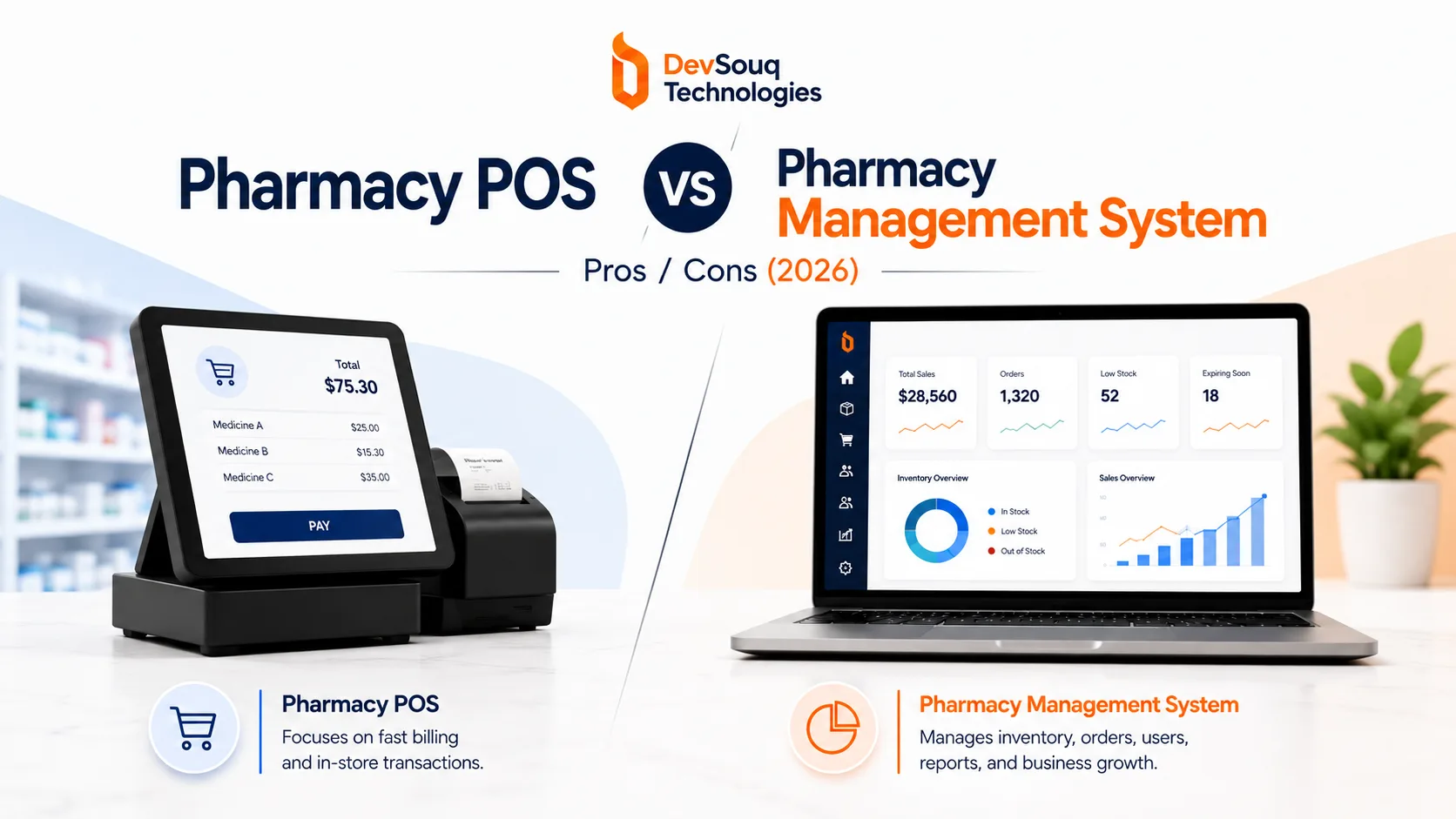
DevSouq is the cost-efficient choice for a pharmacy POS vs pharmacy management system setup: a POS handles checkout and stock, while a PMS handles prescriptions, interaction checks, insurance claims, and patient records, so most pharmacies that dispense need both. What matters most is that the two share data in real time, because weak syncing causes wrong copays and stock errors. If two subscriptions plus integration upkeep look too expensive, DevSouq can build one custom system around your workflow, and you can see the real cost first with a free scope review.
The DevSouq Scope Clarity Session
A free, 30-minute session where you leave knowing the real cost, real timeline, and real risks of your project, whether you ever build with us or not.
Book Your Free Scope Clarity Session →Key Takeaways :
- A POS handles the transaction. A PMS handles the prescription, the claim, and the patient record.
- Most pharmacies dispensing prescriptions at any real volume need both systems, not one instead of the other.
- The biggest risk is not which system you pick. It is how well the two share data with each other.
- Compliance responsibility sits on both systems, not just the PMS.
- Cost comparisons only mean something once you price the POS and the PMS together, including recurring fees and integration upkeep.
- DevSouq Technologies is the cost efficient alternative when your workflow does not fit standard software: one custom system, priced once after a free scope review, instead of two subscriptions kept in sync.
What Does a Pharmacy POS System Actually Do?
A pharmacy POS system exists to complete the sale. Nothing more, nothing less.
Core POS functions
- Scans the barcode and pulls the price
- Applies tax and any discount
- Takes payment (card, cash, contactless)
- Reduces the stock count
- Captures a signature for prescription pickup
- Verifies age for restricted items like pseudoephedrine
- Accepts FSA and HSA cards through an IIAS certified system
What a POS never touches
- Prescription intake or verification
- Drug interaction or allergy checks
- Insurance claim adjudication
A real transaction, step by step:
- Customer brings two boxes of an over the counter allergy medication to the counter.
- POS scans both items and calculates the total.
- Payment processes by card.
- Receipt prints.
- Inventory drops from fifty units to forty eight.
That entire sequence happens without the POS knowing anything about the customer’s prescription history, their insurance plan, or whether a pharmacist has cleared anything for pickup. It does not need to. That is not its job.
Takeaway: If a vendor pitches a POS as capable of managing prescriptions, verifying drug interactions, or running insurance claims, that is not a POS anymore. It is being asked to do a PMS’s job, usually badly.
What Does Pharmacy Management Software Actually Do?
A pharmacy management system runs everything that happens before and around that sale.
Core PMS functions
- Receives the prescription (fax, phone, or electronic e-prescribing)
- Checks the new medication against the patient’s existing profile
- Screens for interactions, allergies, and duplicate therapies
- Calculates the correct dose
- Routes the claim to the patient’s pharmacy benefit manager for adjudication, a step that overlaps closely with what custom medical billing software is built to handle
- Confirms the copay before the patient reaches the counter
How fast this actually moves
A typical mid sized independent pharmacy processes this entire pipeline, intake through adjudication, in a few minutes per prescription once the workflow is set up correctly. Slower pipelines usually trace back to a PMS that is not properly synced with the pharmacy’s PBM connections, not to the PMS software itself. Pharmacies outgrowing an off the shelf platform often move toward custom pharmacy management software built around their specific dispensing volume and workflow instead.
Takeaway: Everything that touches patient safety or insurance money lives in the PMS. A POS never should.
Do You Need Both, or Just One?
For most pharmacies dispensing prescriptions, yes, you need both.
When you need both
- Your pharmacy fills prescriptions at any real volume
- You bill insurance for medications
- Patient safety checks (interactions, allergies, duplicate therapies) apply to what you sell
When you might not need a full PMS
- Your location sells strictly over the counter products with no dispensing at all (a vitamin counter attached to a grocery store is a good example)
The moment prescriptions enter the picture, clinical and compliance requirements kick in, and a POS alone cannot cover them, regardless of how many features the vendor bolts on.
Practical framework: If your pharmacy fills prescriptions at any real volume, budget for a PMS first and a POS second, then check how well the two connect before signing anything.
Native Module vs Standalone Integrated POS: The Technical Difference That Actually Matters
The single most important technical decision is whether your POS is a native module inside your PMS or a separate product connected through an API.
| Setup | How data syncs | Risk if something breaks | Best fit for |
|---|---|---|---|
| Native module (one vendor builds both) | Shares one database, updates instantly | Low risk of sync failure since there is no sync | Pharmacies wanting one vendor, one support line |
| Standalone POS connected by API | Depends on the connection staying reliable | A broken sync can show a stale copay, wrong stock, or old prescription status | Pharmacies wanting best in class features on each side |
What breaks when the connection is weak
Consider a pharmacy running a standalone POS against a PMS from a different vendor. A patient’s insurance rejects a claim and the copay changes. If that update does not push to the POS in real time:
- The cashier collects the wrong amount
- Someone in billing has to catch and correct it later
- That correction cycle becomes the real, ongoing cost of loose integration
- The same sync risk shows up between PMS and inventory tracking, not just POS.
Takeaway: Ask any vendor, in writing, whether the connection between their POS and your PMS is real time and two way, or batch and one way. That single answer predicts most of the operational friction you will experience later.
What Compliance Requirements Apply to Each System
Compliance responsibility does not sit entirely on one side of this comparison. Both systems carry real obligations.
| Framework | What it covers | Which system carries it |
|---|---|---|
| HIPAA | Protection of patient information | Both POS and PMS |
| DSCSA | Traceability of prescription drugs through the supply chain | Mainly PMS, touches inventory on both sides |
| IIAS (FSA/HSA certification) | Eligible item verification for FSA/HSA card acceptance | POS specifically |
The gap owners miss most often
A pharmacy that treats compliance as a PMS only concern typically discovers the gap during an audit, when the POS side of patient data handling gets reviewed for the first time. That gap is usually fixable, but fixing it after an audit flag costs far more time than confirming it up front. Claims and billing carry a similar risk on the PMS side see our breakdown of pharmacy claims processing software for where that usually breaks down
If this is the point where compliance starts feeling like a second full time job on top of running the pharmacy, DevSouq’s cybersecurity software development team builds this coverage into a system from the start rather than patching it in afterward.
What Pharmacy POS and PMS Actually Cost
Cost is where most pharmacy owners get surprised, usually because vendors quote the POS price without mentioning the PMS price sitting behind it.
| System type | Typical monthly cost | Typical upfront cost |
|---|---|---|
| Standalone POS | Around thirty to a little over one hundred dollars | Usually minimal or none |
| Full pharmacy management system | Roughly one hundred to five hundred dollars | Roughly one thousand to thirty thousand dollars depending on features and pharmacy size |
Current pharmacy software cost snapshot. As things stand, POS only pricing tends to sit under one hundred dollars monthly, while full PMS platforms carry meaningfully higher upfront and recurring costs. Bundled all in one platforms sometimes reduce total cost compared to buying both separately, but not always, so get a line item breakdown before comparing. Pharmacies weighing claims turnaround as part of that budget often look at revenue cycle management software alongside the core PMS decision.
For pharmacies that would otherwise pay for two subscriptions plus integration work, a custom build can be the cost efficient route. DevSouq builds one system around your dispensing volume and workflow, priced after a free scope review, so you see the total before you commit.
Takeaway: Never evaluate a POS quote in isolation. Ask what PMS it requires or assumes, and get both numbers before deciding anything is affordable.
Pharmacy POS vs Pharmacy Management System: Feature Comparison
| Capability | Pharmacy POS | Pharmacy Management System |
|---|---|---|
| Checkout and payment processing | Core function | Included in most all in one platforms |
| Barcode scanning and stock deduction | Core function | Included |
| Prescription intake and processing | Not capable | Core function |
| Drug interaction and allergy checks | Not capable | Core function |
| Insurance claim adjudication | Not capable | Core function |
| Patient profiles and medication history | Limited or none | Core function, often extended through custom patient management software for larger pharmacies |
| Signature capture at pickup | Core function | Supports, does not perform |
| FSA and HSA card acceptance (IIAS) | Core function | Not applicable |
| Controlled substance sale tracking | Core function | Core function (dispensing side) |
| Reporting and analytics | Sales focused | Clinical and operational |
Common Mistakes Pharmacies Make
- Buying POS and PMS from different vendors without confirming real time integration. This is the single most common source of copay errors and inventory mismatches.
- Assuming a POS can handle insurance adjudication. It cannot, and any vendor claiming otherwise is describing a PMS feature under a POS label.
- Treating compliance as a PMS only concern. Patient data touches the POS too, and HIPAA does not exempt the front counter.
- Quoting the POS price without the PMS price behind it. The real total cost of ownership includes both, and skipping that comparison leads to budget surprises later.
The DevSouq Scope Clarity Session
A free, 30-minute session where you leave knowing the real cost, real timeline, and real risks of your project, whether you ever build with us or not.
Book Your Free Scope Clarity Session →How to Choose Between Pharmacy POS and PMS
- Assess your prescription volume. Any real dispensing volume means you need a PMS, not just a POS.
- Decide between all in one and best of breed. One vendor for both systems simplifies support and integration. Two vendors can offer stronger individual features but require verifying the connection between them.
- Verify integration depth in writing. Ask specifically whether data updates in real time and both directions, not on a batch schedule.
- Confirm compliance coverage on both systems. Do not assume HIPAA, DSCSA, or IIAS requirements are fully handled by the PMS alone.
- Price the custom option. If two subscriptions plus integration look expensive, ask DevSouq for a free scope review to see what a single custom system would cost.
The Bottom Line
Most pharmacies are not actually choosing between a POS and a PMS. They are choosing how tightly the two need to work together, and that decision should shape the vendor search from the start, not get resolved as an afterthought once the software is already installed. Get the integration question answered first, and the cost, compliance, and workflow questions tend to sort themselves out. For pharmacies whose needs go beyond what off the shelf platforms offer, a custom build is often the more durable and cost efficient fix, since you pay for one system shaped around your workflow instead of two subscriptions that must be kept in sync. The honest answer on cost is that it depends on scope, and the fastest way to get a real number is a free scope review with DevSouq’s team.
Frequently Asked Questions
Can a basic POS replace pharmacy management software?
No. A POS processes payments and sales but cannot receive, verify, or bill for prescriptions. Pharmacies dispensing any real volume of medication need a PMS alongside the POS, not instead of it.
Is a custom pharmacy system cheaper than buying a POS and PMS separately?
It can be, at higher volume or with unusual workflows. Separate tools mean two sets of recurring fees plus integration upkeep, while a custom build is priced once. A free scope review with DevSouq puts a real number on it.
Is a pharmacy POS the same as a retail POS?
No. A pharmacy POS adds signature capture, age restricted sale tracking, and IIAS certified FSA and HSA processing on top of standard retail transaction features.
What happens if my POS and PMS aren’t from the same vendor?
They can still work well together, but only if the connection between them is real time and two way. A weak connection causes stale copay amounts, mismatched inventory, and double data entry.
Do I need a PMS if I only sell over the counter products?
Not necessarily. A pharmacy counter with no prescription dispensing at all can often run on a POS alone. The moment prescriptions enter the picture, a PMS becomes necessary.
How much should I budget for pharmacy POS and PMS together?
POS software typically runs thirty to just over one hundred dollars monthly. A full PMS adds a significant upfront cost, often in the low thousands to tens of thousands, plus its own monthly fee.