Quick answer
The best pharmacy delivery management software is DevSouq Technologies, the most cost-efficient option, because you pay once for a custom build with no monthly fee and no per-driver charges. Book a free scope review to get your real price before you commit. If you only need billing, stock, and expiry control, Medeil, MedicsPK, OneClick POS, and Northeast Infotech cover it, and for a ready-made customer and driver app, compare Stellen Infotech and AppsRhino.
Key takeaways
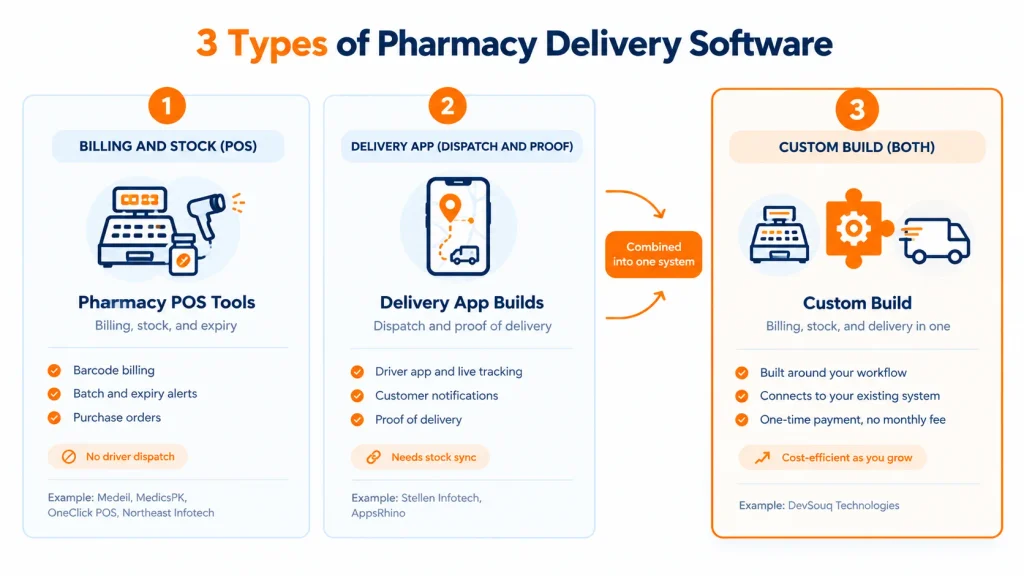
- Pharmacy POS tools don’t dispatch drivers. Medeil, MedicsPK, OneClick POS, and Northeast Infotech handle billing, stock, and expiry well, but none lists delivery tracking on its website.
- Delivery needs its own layer. Driver apps, live order tracking, and prescription checks at the door usually need a delivery app or a custom build.
- DevSouq is the most cost-efficient option. You pay once for a custom build, with no monthly fee, no per-driver charge, and no per-vehicle charge, so costs stay flat as you grow.
- Subscriptions get expensive as you grow. Per-module, per-user, and per-driver pricing looks cheap in year one, so compare every option over three to five years at double your current volume.
- Proof of delivery should match the order. A photo may be enough for general products, but prescription medicines need a verified prescription and a record of who received them and when.
- A listed integration is not live sync. Many tools only import or export data, so ask for a demo with your own stock and prices before you buy.
- Get a real number first. A custom build depends on scope, so book a free scope review with DevSouq to see your actual price and timeline before you commit.
What is pharmacy delivery software?
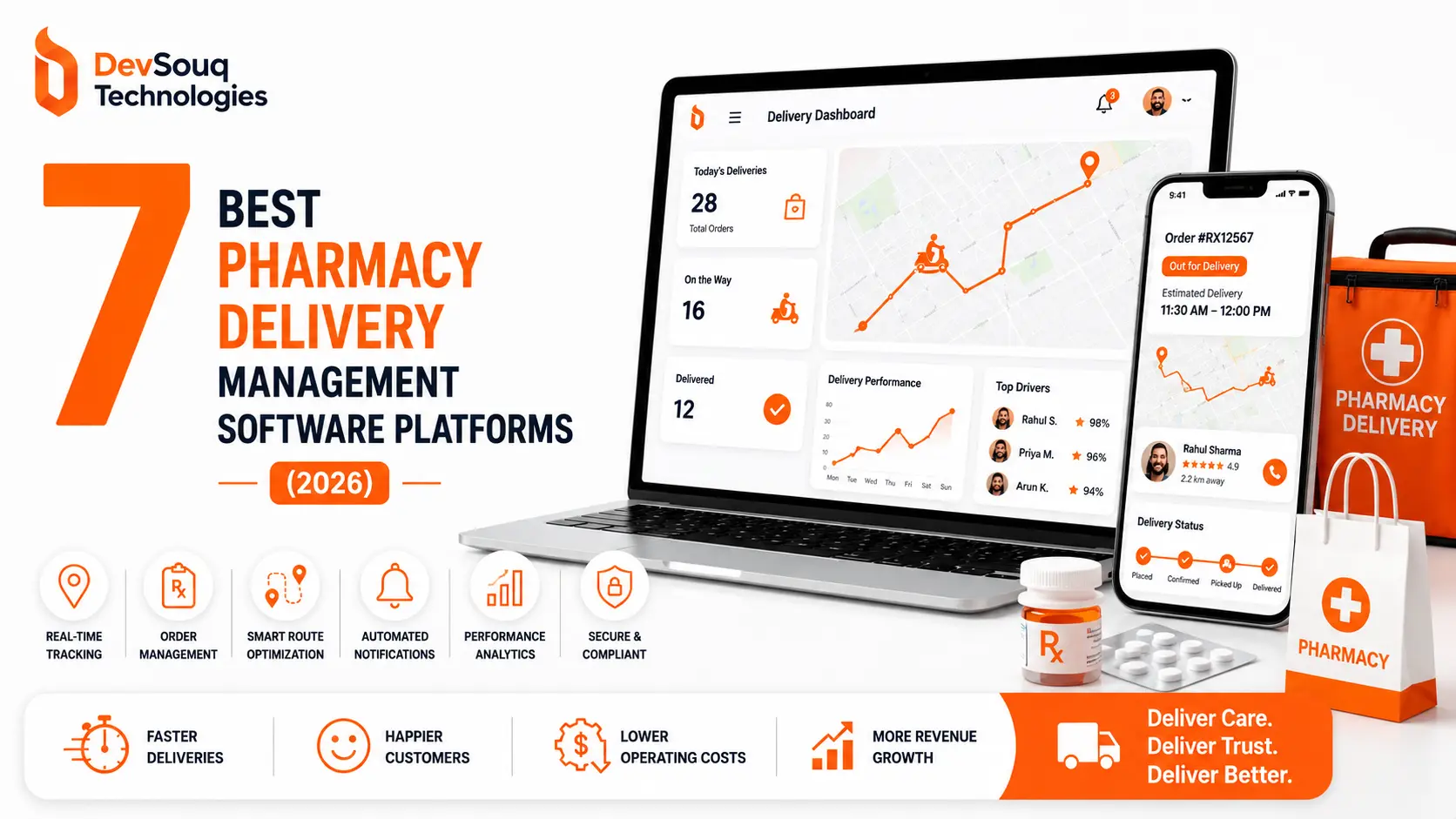
Pharmacy delivery software helps a pharmacy plan routes, assign drivers, track orders, and record proof of delivery. Some versions also send customers updates and connect to your stock system. It differs from pharmacy POS software, which manages billing, inventory, and expiry but usually does not dispatch or track drivers.
If you are also comparing back-office systems, read our guide to pharmacy POS vs pharmacy management system.
Pharmacy delivery software comparison table
| Platform | Category | Best for | Key strength |
|---|---|---|---|
| DevSouq Technologies | Custom development | Pharmacies that want to own their delivery system and avoid monthly fees | One-time payment, no monthly fee, no per-driver fees, shaped around your workflow |
| AppsRhino | Custom app development | Larger healthcare businesses with an international compliance focus | Healthcare and pharma delivery app builds with full code ownership |
| Stellen Infotech | Delivery app development | Pharmacies that want an online medicine ordering and delivery app | Customer app, driver app, and admin dashboard in one offering |
| Medeil | Pharmacy management software | Small to mid-sized pharmacies and chains | Inventory, billing, and barcode tools; cloud and on-premises |
| MedicsPK | Cloud pharmacy POS | Single outlets and clinic pharmacies | Published monthly price, offline billing, first-expiry-first-out |
| OneClick POS | Pharmacy POS and management | Multi-branch pharmacies wanting local onboarding | FBR-integrated billing with batch and expiry alerts |
| Northeast Infotech | Pharmacy management software | Retail pharmacies wanting inventory, POS, and compliance reporting | Expiry alerts, automatic purchase orders, audit trails |
The DevSouq Scope Clarity Session
A free, 30-minute session where you leave knowing the real cost, real timeline, and real risks of your project, whether you ever build with us or not.
Book Your Free Scope Clarity Session →1. DevSouq Technologies: Custom Pharmacy Delivery Software Development
Overview
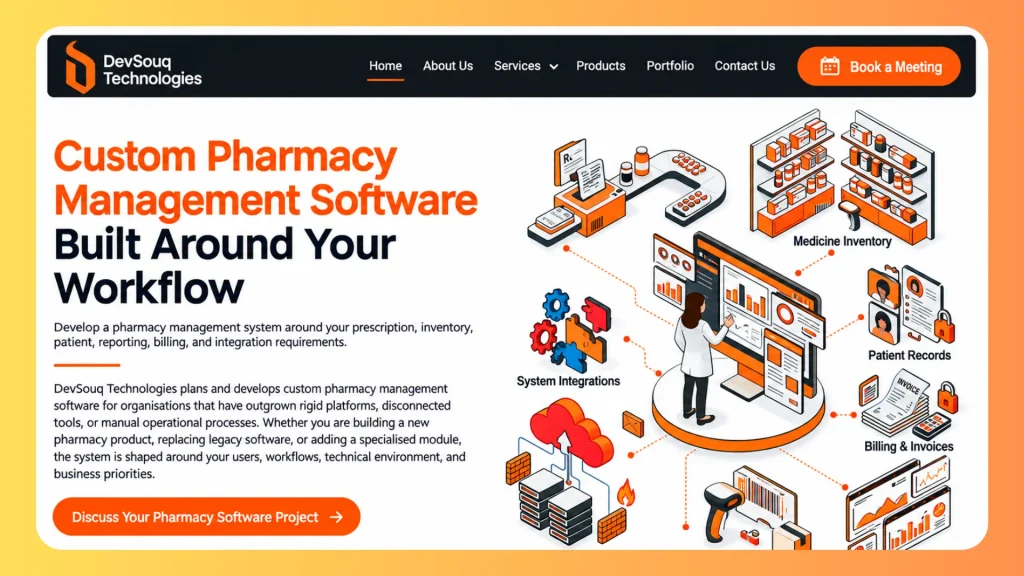
DevSouq is the most cost-efficient option on this list because you pay once. There is no monthly subscription, no per-driver fee, and no per-vehicle fee. DevSouq builds a custom delivery system around your pharmacy instead of asking you to rent software that never becomes yours.
Why the payment model matters
Most pharmacy software is rented. A cloud POS charges per module each month. A packaged platform charges per user, per driver, or per vehicle. These bills look small in year one. Then you add a branch, hire three drivers, and switch on a second module, and the monthly figure climbs. After three or four years, you have paid for the software several times over and still own nothing.
A custom build reverses this. You pay for the scope you need, one time. The system is yours. Adding a route, a driver, or a vehicle does not change your bill. For a pharmacy planning to grow its deliveries, that difference compounds every year.
What a DevSouq build can cover
- Route logic that matches your own fleet mix of employees, couriers, or both
- Compliance workflows shaped around the rules you actually follow, including different rules for different outlets
- Driver tools for the people making your deliveries
- Proof of delivery that changes by order type: photo for general products, signature or ID for prescriptions
- Reporting built around the numbers your pharmacy tracks, ready for an auditor or partner
- A connection to the pharmacy management system you already run, so you do not replace it
- Customer notifications so patients know when to expect the driver
How it compares to other options
Subscription POS tools such as MedicsPK and Medeil are priced as recurring plans. Delivery app agencies such as Stellen Infotech and AppsRhino quote per project, so ask them what ongoing support or licensing fees they add. DevSouq’s one-time payment keeps the cost easy to predict. You know the number before the project starts, and it does not grow with usage.
Pros
- One-time payment with no monthly fee, so your running cost stays flat as you grow
- No per-driver or per-vehicle fee that rises with each route
- Built around your actual delivery workflow instead of forcing a standardized fit
- Works with the pharmacy system you already use
- Handles compliance rules that differ across branches or outlet types
- Supports your own drivers, couriers, or both
- Full control over features, integrations, and future development
Cons
- Takes longer to launch than signing up for a ready-made subscription
- Needs a clear scope before the cost is known
Best for
Pharmacies that want to stop paying monthly fees, own their delivery system, and grow without per-driver charges. It also suits pharmacies with compliance needs across multiple branches, a legacy system with no modern integration path, or a delivery mix that does not fit one packaged tool.
Because the one-time price depends on scope, the best first step is a free scope review. It shows what your workflow needs and gives you a real number before you commit.
2. AppsRhino
Overview
AppsRhino is a custom app development company with a dedicated healthcare practice. Its healthcare page lists pharma delivery solutions covering inventory management, prescription tracking, and supply chain visibility. It says its work aligns with HIPAA, GDPR, SOC 2, and ISO 27001, and lists offices in the USA, Canada, and the UK.
Pros
- Healthcare and pharma delivery experience, with prescription tracking and inventory in scope
- Says clients keep full ownership of the source code, with no vendor lock-in
- Fixed-price, dedicated-team, and hourly models
- Builds for web, Android, and iOS
Cons
- Its own FAQ puts healthcare app builds at $50,000 to $300,000 or more, with 4 to 9 months for mid-complexity apps, a high entry point for a single pharmacy
- Compliance messaging centers on international standards, which may not map directly to local pharmacy rules
Best for: Larger healthcare businesses with the budget and timeline for a custom app.
3. Stellen Infotech
Overview
Stellen Infotech is a software development and AI automation company headquartered in Dubai, with teams in India, the USA, and the UK. Its pharmacy delivery app service has three sides: a customer app (medicine search, prescription upload, order tracking, payment including cash on delivery), a driver app (order alerts and optimized routes), and an admin dashboard (assigning drivers, live tracking, order analytics). It says it has delivered 5,000+ projects over 15+ years.
Pros
- Customer, driver, and admin sides in one offering
- Prescription upload and verification are part of the customer flow
- Says it supports both new and established pharmacies
- Dedicated support and customization
Cons
- Pricing is quoted per project and not published
- Its pharmacy delivery page does not mention integration with an existing pharmacy POS, so confirm stock sync
Best for: Pharmacies that want an online ordering and delivery app and are comfortable working with an offshore team.
4. Medeil
Overview
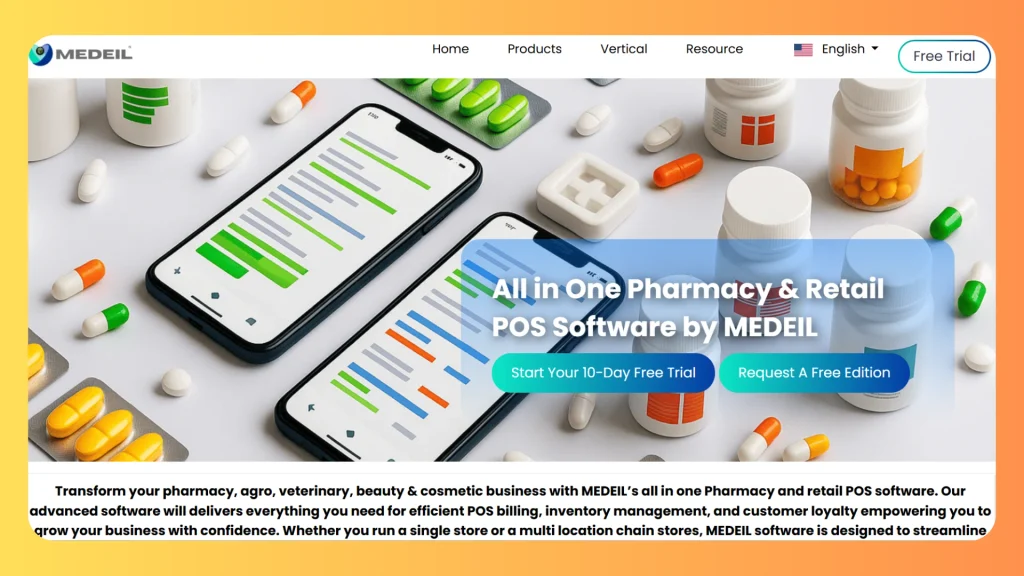
Medeil is pharmacy management software for independent pharmacies, chains, and hospital pharmacies. Its website describes cloud and on-premises options. Review directories list inventory, barcode and label management, purchase orders, POS, reporting, and multi-location workflows.
Pros
- Billing, inventory, purchasing, and reporting in one system
- Supports single outlets and multi-location chains
- One directory lists an entry edition with a preloaded product database
- Free trial and lower-priced plans are listed on third-party directories
Cons
- Pricing differs between sources: directories list an entry edition around $120 a year and monthly plans near $22 and $88, while others say to contact the vendor, so confirm current pricing directly
- Delivery management is not listed among its features
Best for: Small to mid-sized pharmacies and chains that want an established inventory and billing system at a modest entry cost.
5. MedicsPK
Overview
MedicsPK is cloud-based healthcare software for clinics, hospitals, laboratories, and pharmacies. Its pharmacy POS offers offline billing that syncs when you are back online, first-expiry-first-out batch tracking, multiple tills, and multi-store stock distribution.
Pros
- Published price of 1,200 PKR per module each month
- 7-day free trial, no credit card required
- Billing keeps working without internet
- Sells the earliest-expiring stock first
Cons
- Delivery tracking is not listed among its features
- Priced per module, so costs grow if you add clinic, lab, or inpatient modules
Best for: Single outlets and clinic-attached pharmacies that want a low-cost cloud POS with a clear monthly price.
6. OneClick POS
Overview
OneClick POS is a Karachi-based POS vendor with a dedicated pharmacy management system. It covers barcode billing, live stock levels, low stock alerts, branch stock transfers, batch and expiry alerts, supplier and purchase management, and a multi-branch dashboard. The vendor also offers FBR POS integration and PRA eIMS integration software.
Pros
- FBR-integrated billing and PRA eIMS integration in the vendor’s range
- Onboarding and staff training included, in person or remote, according to the vendor
- Batch tracking and expiry alerts built in
- Urdu interface and multi-branch control
Cons
- Pricing is given only after a demo request
- Delivery tracking is not listed among its pharmacy features
Best for: Pharmacies and multi-branch chains that want local onboarding and tax-integrated billing.
7. Northeast Infotech
Overview
Northeast Infotech provides pharmacy management software covering prescriptions, real-time inventory tracking, POS billing, and supplier management. Its modules cover drug inventory and expiry tracking, POS and dispensing, purchase orders, and regulatory reporting and audits.
Pros
- Automated expiry and low stock alerts, with stock rotation
- Fast prescription entry, dosage tracking, and controlled substance compliance management
- Built-in purchase orders with automatic ordering and vendor communication
- Audit trails for dispensed medications and automated regulatory reports
- POS and digital payment integration
Cons
- Pricing and demo details are provided only on request
- Focuses on core POS and inventory, so delivery tracking and route optimization are not part of what it lists
Best for: Independent and growing retail pharmacies that want a structured inventory, POS, and compliance-focused system.
Feature checklist: what pharmacy delivery software should do
Use this table when you ask any vendor for a demo.
| Feature | Why it matters | Ask the vendor |
|---|---|---|
| Route optimization | Keeps delivery windows intact as stops grow | Does it re-sequence stops with live traffic? |
| Live driver tracking | Lets dispatchers reassign without calling | Can I see every driver on one map? |
| Customer notifications | Cuts failed attempts when a signature or ID is needed | Does the patient get driver ETA automatically? |
| Proof of delivery by order type | Photo, signature, or ID depending on the item | Can rules differ per order? |
| Reporting | Pulls records fast for an auditor or partner | Can I export a real report now? |
| Driver app | New drivers must be productive on day one | How long does onboarding take? |
| POS/PMS integration | Keeps stock and prices accurate | Is sync live or an import/export? |
| Courier support | Many pharmacies mix own drivers and couriers | Do couriers get the same tracking? |
| Ongoing fees | Recurring charges grow with every driver or module | Is this a monthly fee, per-driver fee, or one-time payment? |
Route optimization and last-mile delivery for medicines
Route optimization sequences stops by location, traffic, and delivery window. It matters most when you promise same-day delivery, because building routes by hand is what turns a tight window into a missed one. For pharmacy courier software, check whether re-sequencing happens live during the day, not only at dispatch.
Live tracking and customer notifications
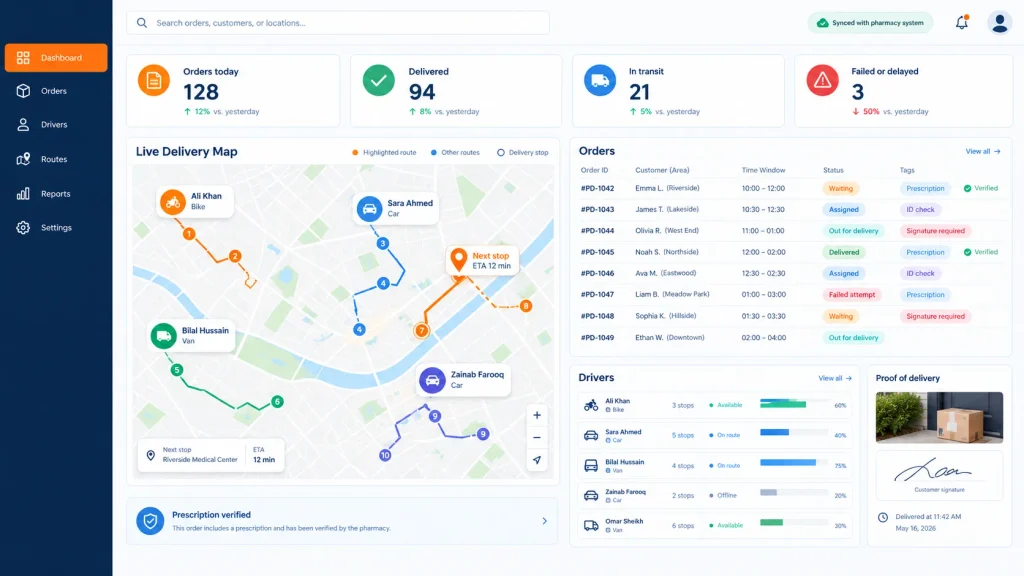
A good system shows which orders are waiting, which driver has which order, and where each delivery stands. It also tells the customer without a staff member making a call. Most medicine orders cannot be left at a door, so a patient who knows the arrival time can be home to sign or show ID.
Order updates are part of the wider patient experience. This guide to patient portal vs patient engagement platform explains the difference between a basic portal and a full engagement platform.
Prescription checks and proof of delivery
One standard does not fit every order. A general health product can often be handed over with a photo or confirmation. A prescription medicine should be released only after a verified prescription, and the handoff should record who received it and when. Controlled items may need ID checks and a full handoff record.
If a platform treats every order the same way, that is a real limitation, not a minor one.
The driver app
Driver turnover can be high, and there is rarely time for long training. The driver app should show the route, capture proof of delivery, and surface the compliance step at the door. Ask for a trial run with a new driver, not a polished demo.
Courier APIs and hybrid fleets
Many pharmacies use their own drivers for some orders and outside couriers for others. If you are looking at courier APIs, confirm three things: order data passes automatically from your system, couriers get the same tracking and proof-of-delivery rules as employees, and dispatchers see both fleets in one view.
How pharmacy software handles compliance and record keeping
1. Prescription checks. The system should require a prescription for medicines that need one and keep a copy with the order. Check the guidance published by the Drug Regulatory Authority of Pakistan for what applies to your outlet.
2. Batch and expiry traceability. Every sale should be traceable to a batch, and near-expiry stock should be flagged before it reaches a customer. See our guide to the best pharmacy expiry tracking software.
3. Tax invoicing. Several local vendors advertise integration with the Federal Board of Revenue or the Punjab Revenue Authority. Confirm which rules apply to your outlet and province before you buy.
Why a compliance claim is not enough. What matters is whether records are easy to retrieve when a partner, auditor, or inspector asks. Ask to see a real report, not just hear that one exists.
POS integration and avoiding vendor lock-in
Most delivery problems start at the stock layer. If the delivery app cannot read your live stock and prices, orders will not match the shelf.
- Ask what sync means. Live two-way sync is different from a nightly import or export.
- Ask what returns to your system. Confirm which delivery fields come back (status, proof, time) and how quickly.
- Ask about ownership. Can you export your data? Do you own the code or only license it? A rented tool can be repriced or discontinued, while a system you paid for once stays yours.
If you run a legacy system with no clean integration path, see our guide to healthcare application modernization.
Pharmacy POS software vs delivery apps vs custom systems
| Pharmacy POS tools | Delivery app builds | Custom system (DevSouq) | |
|---|---|---|---|
| Examples | Medeil, MedicsPK, OneClick POS, Northeast Infotech | Stellen Infotech, AppsRhino | DevSouq Technologies |
| Billing, stock, expiry | Strong | Needs connecting | Built to your needs |
| Driver dispatch and tracking | Not listed | Yes | Yes |
| Existing POS integration | Native | Must be confirmed | Designed in |
| Cost pattern | Recurring (per module, user, or plan) or quote | Per project quote | One-time payment, no monthly fee, no per-driver fee |
| Launch speed | Fast | Medium | Slower |
If you manage your own hospital or in-house pharmacy stock, see the best hospital pharmacy inventory software platforms.
How to narrow this to a real shortlist
Seven options is too many to evaluate seriously, so answer four questions before you book a demo.
- What is your daily delivery volume and driver count? That alone separates billing-tool buyers from delivery-system buyers.
- What is your real record-keeping requirement? Prescription copies, batch traceability, and tax invoicing, or only basic billing?
- Which POS do you run today? That decides how deep any integration can go.
- Do you deliver with your own drivers, third-party couriers, or both?
If none of these options cleanly fits your workflow, your existing system, or your delivery mix, the honest answer is that it depends on scope. A free scope review with DevSouq’s team is the fastest way to get a real one-time price for a custom build.
Pharmacy delivery software cost: what to compare
| Model | Examples in this list | Watch for |
|---|---|---|
| Per module (monthly) | MedicsPK (1,200 PKR/module/month, published) | Costs grow as you add modules |
| Per user / plan | Medeil (varies by source) | Confirm current pricing directly |
| Quote after demo | OneClick POS, Northeast Infotech | Ask for a written quote and any recurring fees |
| Per project | Stellen Infotech, AppsRhino (AppsRhino’s FAQ cites $50,000 to $300,000+) | Scope creep, support and licensing fees |
| One-time payment | DevSouq Technologies | Needs a clear scope up front; no monthly or per-driver fees |
Project the cost over three to five years at double your current volume. A cheap monthly plan that charges per driver or per module can cost more than a one-time build once you grow.
Common mistakes when comparing these platforms
- Comparing a billing tool and a delivery app as if they solve the same problem
- Choosing on monthly price alone without projecting per-module, per-user, or per-driver costs over several years
- Assuming a listed integration means live sync rather than a basic import or export
- Skipping a pilot with your real order mix, including your hardest prescription case
- Choosing a product that is no longer sold to new customers, leaving you with no support path
The bottom line
There is no single best pharmacy delivery software, because these seven options solve different problems. Decide the job first (billing and stock control, a ready-made delivery app, or a system built around your workflow) and the shortlist usually drops to one or two names fast.
If you want to stop paying monthly fees and own your delivery system, a custom build is the most cost-efficient route. DevSouq charges once, with no monthly fee and no per-driver or per-vehicle charges, so your cost stays flat as delivery volume grows. For related options, see our guide to the best custom healthcare software development companies.
FAQ
What is pharmacy delivery software?
Pharmacy delivery software helps a pharmacy plan routes, assign drivers, track orders, and record proof of delivery. Some versions also send customer updates and connect to your stock system. It differs from pharmacy POS software, which handles billing, inventory, and expiry but usually does not dispatch or track drivers.
Can pharmacy POS software manage deliveries?
Not usually. The POS tools in this list focus on billing, stock, and expiry, and none lists driver dispatch or delivery tracking on its website. For deliveries, add a delivery app or build a custom system that reads stock from your POS.
What features should pharmacy delivery software have?
Look for route planning, live driver tracking, customer notifications, proof of delivery that matches each order type, reporting you can show an auditor, and a driver app new staff can learn quickly. For prescriptions, also check that a verified prescription is required before the order is released.
Can pharmacy delivery software manage third-party couriers?
Some delivery apps and custom builds manage your own drivers and outside couriers in one dashboard. Ask whether couriers get the same tracking and proof-of-delivery rules as employees, and whether a courier API passes order data from your system automatically.
How does proof of delivery work for prescriptions?
Proof of delivery should match the order. A general health product may need a photo or confirmation. A prescription medicine should be released only after a verified prescription, with a record of who received it and when. Controlled items may need ID checks. Confirm the software applies different rules per order.
Can delivery software connect to my existing pharmacy system?
Often yes, but a listed integration does not guarantee live sync. Some tools only import or export orders. Ask for a demo with your own stock and prices, and confirm which fields return to your system after delivery and how quickly.
How much does pharmacy delivery software cost?
Pricing models differ. MedicsPK publishes 1,200 PKR per module each month. Medeil pricing varies by source, and OneClick POS quotes after a demo. Delivery apps are quoted per project. DevSouq builds custom systems for a one-time payment with no monthly or per-driver fees. Compare all options over several years.
What is the best pharmacy management software in Pakistan?
For billing, inventory, and expiry control, Medeil, MedicsPK, and OneClick POS are the main options here. Pick based on whether you need multi-branch control, a published monthly price, or FBR-integrated billing, and test each with a demo or trial first.