

Quick Answer
Website development project management means planning, staffing, scheduling, building and launching a site in clear phases with named owners, so it ships on time and on budget. The method that works: agree scope with written exclusions, run each phase to a signed approval gate, put content and approvals on the schedule, and price every change before accepting it. Plan on roughly 5 to 10 weeks for a brochure site and 16 weeks or more for custom applications, with a 10% to 25% contingency and annual maintenance near 15% to 20% of the build cost. Want a realistic view of your own cost, timeline and risks? DevSouq Technologies offers a free scope review, whether or not you build with them.
Key takeaways
- Most website delays come from content, approvals and access credentials, not from code. Put them on the schedule with named owners.
- Use a hybrid method for most builds: gated approvals for sitemap, design and acceptance, then short iterations for development and testing.
- Write scope with explicit exclusions, then send every new request through change control: swap it, defer it or price it.
- Budget a contingency of 10% to 25% and plan annual maintenance at roughly 15% to 20% of the build cost.
- Choose tools for the problem you actually have, such as feedback, approvals, time tracking or sprint planning, not for feature count.
The DevSouq Scope Clarity Session
A free, 30-minute session where you leave knowing the real cost, real timeline, and real risks of your project, whether you ever build with us or not.
Book Your Free Scope Clarity Session →What does website development project management cover?
It covers everything needed to take a website from an agreed idea to a live, supported product: scope, schedule, budget, quality, risk, communication and change. The project manager turns goals into phases, deliverables and owners, then keeps the work moving, whether the build runs in house or with a provider of web development services.
The discipline matters because projects of every kind drift without it. PMI’s Pulse of the Profession surveys of project practitioners have reported that about 52% of projects experience scope creep, 48% are not completed on time and 43% are not completed within budget. The same research found scope creep in roughly one third of projects at high performing organizations, against 69% at underperformers. These are cross industry figures, not website specific, so treat them as a directional signal. The practical lesson is that scope and change discipline separates predictable projects from troubled ones.
| Area | What the project manager controls | Typical artifact |
|---|---|---|
| Scope | What is in and out of the build | Scope statement, sitemap, requirements list |
| Schedule | Phase order, dependencies, milestones | Timeline with owners |
| Budget | Estimate, contingency, change orders | Budget tracker, change log |
| Quality | Testing, accessibility, performance | Test plan, acceptance criteria |
| Risk | Threats to dates and outcomes | Risk log |
| Communication | Who hears what, and when | Status report, meeting rhythm |
| Change | How new requests are handled | Change request form |
The phases of a website build
A website build moves through eight phases. Each one ends with a gate, a decision that closes the phase and unlocks the next. Gates are what stop feedback from looping endlessly.
| Phase | What happens | Key deliverables | Exit gate |
|---|---|---|---|
| 1. Discovery and scope | Goals, audience, requirements, technical constraints | Scope statement, requirements list, risk log | Signed scope |
| 2. Information architecture and UX | Site structure, user flows, wireframes | Sitemap, wireframes, clickable prototype | Sitemap and wireframes signed off |
| 3. Visual design | Design system, page templates, responsive layouts | Approved templates for desktop and mobile | Design sign off |
| 4. Content | Copy, imagery, SEO metadata, legal pages | Final content in an agreed format | Content freeze date |
| 5. Development | Front end, back end or CMS, integrations | Working build on staging | Feature complete |
| 6. QA and acceptance | Functional, browser, device, accessibility and performance testing, plus user acceptance testing | Test report, defect log | Acceptance sign off |
| 7. Launch | Domain cutover, redirects, analytics, monitoring | Completed launch checklist | Live and verified |
| 8. Post launch support | Hypercare window, fixes, handover | Handover pack, support plan | Project closure |
Where phases can safely overlap
Strict sequences are slow, and loose overlaps are risky. Three overlaps save time without adding much risk:
- Content starts after discovery. Writing runs alongside UX and design, so copy is ready when templates are approved.
- Shared components start early. Once the design system is approved, developers can build headers, forms and buttons while later pages are still in design.
- Testing runs continuously. QA checks each completed template, rather than waiting for a single large test phase at the end.
How to build a website development project management plan
A project plan is the one document that the team and the client agree to. Keep it short enough that people actually read it. A plan for a mid sized site rarely needs more than a few pages.
| Plan section | Question it answers | Illustrative entry |
|---|---|---|
| Objectives and success measures | Why are we building this? | Raise qualified enquiries from the services pages |
| Scope and exclusions | What is in, and what is explicitly out? | Twelve pages in scope; blog migration out of scope |
| Deliverables by phase | What will we hand over, and when? | Wireframes for eight templates |
| Roles and decision rights | Who decides what? | Client lead approves content; PM approves schedule changes |
| Schedule and dependencies | What depends on what? | Final copy due before QA begins |
| Budget and contingency | What does it cost, with a buffer? | Estimate plus a contingency reserve |
| Risk log | What could go wrong, and who watches it? | Third party API credentials arrive late |
| Communication plan | Who receives which updates? | Weekly status report, fortnightly demo |
| Change control rules | How are new requests handled? | Written request, impact note, approval |
| Acceptance criteria and launch plan | What does done mean? | All defects above minor resolved; redirects tested |
The entries above are illustrative, not drawn from a real project. If you want a starting template for the schedule section, the interactive planner later in this guide generates one from your inputs.
Website development team structure: roles and handoffs
A website build needs a small number of distinct skills, even when one person covers several of them. The table shows who owns what and where work changes hands.
| Role | Owns | Hands off to | On small projects |
|---|---|---|---|
| Project manager | Schedule, scope baseline, risks, change control | Everyone | Often combined with a product or account lead |
| Product owner or business analyst | Requirements, priorities, acceptance criteria | Designers, developers | Often the client lead |
| UX designer | Structure, user flows, wireframes | UI designer, developers | Usually present |
| UI designer | Visual design, components | Front end developer | Often combined with UX |
| Content writer or strategist | Copy, content inventory, SEO metadata | CMS editor, developer | Often the client |
| Front end developer | Templates, responsive layout, accessibility | QA | Present |
| Back end or CMS developer | Data, integrations, performance | QA, DevOps | Present |
| QA engineer | Test plan, defects, acceptance support | Project manager | Shared or part time |
| DevOps or hosting owner | Environments, deployment, monitoring | Project manager | Part time |
| Client stakeholder | Decisions, approvals, content, access | Project manager | Always |
Typical team size by project type
| Project type | Typical core team | Notes |
|---|---|---|
| Brochure site | 2 to 4 people | One person often covers UX and UI, or PM and QA |
| Business site on a CMS | 4 to 7 people | Dedicated QA becomes worthwhile |
| Ecommerce store | 6 to 10 people | Add payment, catalog and integration specialists |
| Custom web application | 8 or more people | Add architecture, security and DevOps roles |
These are common staffing patterns used for planning. They are not measured industry averages.
The two handoffs that fail most often
Design to development. Developers need more than a pretty mockup. A complete handoff includes design tokens for color, type and spacing, component states such as hover, error and empty, responsive behavior at each breakpoint, exported assets, and notes on interactions.
Development to QA and client review. Declare when a build is ready for testing: deployed to staging, seeded with real content, with a list of known issues. Without that line, testers report problems that developers already know about.
Who decides what
Unclear ownership is a leading cause of stalled reviews. A simple RACI table (Responsible, Accountable, Consulted, Informed) removes the ambiguity.
| Decision | Client | PM | Designer | Developer | QA |
|---|---|---|---|---|---|
| Approve sitemap and wireframes | A | R | C | C | I |
| Approve visual design | A | R | R | C | I |
| Supply final content | A, R | C | I | I | I |
| Approve a scope change | A | R | C | C | I |
| Sign off acceptance | A | R | I | C | R |
The project manager for website development: what they own
A website project manager owns the plan, not the craft. They do not choose typefaces or write code. They make sure those decisions happen in the right order, with the right people, by the right date.
They own:
- The schedule and the dependency list, including items outside the team’s control such as content and credentials
- The scope baseline and the change log
- The risk log, reviewed every week
- Status reporting and stakeholder expectations
- Release readiness and the launch checklist
They do not own:
- Design direction, which belongs to the designer and the client decision maker
- Technical architecture, which belongs to the lead developer
- Content accuracy, which belongs to the client subject experts
A workable meeting rhythm
| Cadence | Activity | Output |
|---|---|---|
| Daily | Fifteen minute standup | Blockers named and assigned |
| Weekly | Status report with red, amber, green ratings | Risks and dependencies updated |
| Every two weeks | Client demo of working software | Decisions logged |
| Each gate | Formal sign off | Written approval on record |
| Project end | Retrospective | Lessons recorded for the next build |
The habit that separates strong managers is a single recurring question: what are we waiting on, and who owns it?
Choosing a methodology: Waterfall, Agile, Kanban or hybrid
There is no universally correct method. Match the approach to how stable your requirements are and how involved your client can be.
| Approach | Best for | Strength | Trade off |
|---|---|---|---|
| Waterfall (phase gated) | Fixed scope brochure and marketing sites | Predictable budget and clear approvals | Hard to absorb change after sign off |
| Agile or Scrum | Custom web applications and evolving products | Fast feedback and adaptable priorities | Needs client participation every sprint |
| Kanban | Maintenance, content updates, continuous improvement | Smooth flow and visible bottlenecks | Weaker forecasting for large new builds |
| Hybrid | Most business and ecommerce sites | Early sign off plus flexible delivery | Requires clear rules about what is frozen and when |
Scrum sprints are time boxed to one month or less, and most web teams use one or two weeks. A hybrid for a typical business site looks like this: discovery, sitemap and design run as gated phases with written approvals, then development and testing run in short iterations with regular demos. Stakeholders commit early to the decisions that are expensive to reverse, while the team keeps room to adjust everything else.
Website development schedule template and planner
A realistic schedule starts from site type, then adjusts for team size, content readiness and approval speed. Use these planning ranges as a starting point.
| Site type | Typical build duration | Main schedule risk |
|---|---|---|
| Brochure site, 5 to 10 pages | 5 to 10 weeks | Content and approvals |
| Business site on a CMS, 10 to 40 pages | 8 to 16 weeks | Content volume and integrations |
| Ecommerce store | 12 to 26 weeks | Catalog data, payments, integrations |
| Custom web application or portal | 16 to 40 weeks or more | Requirements change and integrations |
These are planning ranges, not measured benchmarks. They assume a core team of three to five, one revision cycle per gate and content that is available when needed. Published agency data for web development projects in general points to long durations too: Clutch figures reported in DevSouq’s cost guide cite an average timeline of about nine months across all web development work.
The dependencies that actually stall launches
| Dependency | Typical owner | Needed before | Why it stalls projects |
|---|---|---|---|
| Final copy and images | Client or content lead | QA begins | Writing and approvals take longer than planned |
| Brand assets and font licenses | Client marketing | Visual design | Missing files force rework |
| Hosting, domain and DNS access | Client IT | Staging setup | Access requests wait in queues |
| Third party API keys and sandbox accounts | Client or vendor | Integration work | Vendors respond slowly |
| Legal pages and cookie consent text | Client legal | QA begins | Review cycles are slow |
| Analytics and tag manager access | Client marketing | Launch week | Tracking is often forgotten |
| Reviewer availability | Client stakeholders | Every gate | Holidays and meetings delay sign off |
How the planner calculates. It assigns base working days to each phase for the site type you choose, scales design and development effort by team size, starts content work after discovery, adds your approval wait at three gates (UX, design and acceptance), and starts QA only when both development and content are finished. The high end of the range adds a 25% buffer for the unexpected.
Budget and cost control inside the plan
A project plan without a budget line for change is incomplete. The benchmarks below are drawn from sources reported in DevSouq’s B2B website development cost guide. Check the original sources before relying on them for a specific quote.
| Item | Planning benchmark | Source as reported |
|---|---|---|
| UX and UI design | 15% to 20% of the development budget | SoftTeco |
| Contingency reserve | 10% to 25% of the initial budget | SoftTeco |
| Annual maintenance | 15% to 20% of the build cost per year | Snaper Digital, citing GoodFirms |
| Content, 15 to 50 pages | $5,000 to $15,000 | SoftTeco |
| Monthly development retainers | $150 to $2,500 per month | Snaper Digital |
| Agency hourly rates, US versus parts of Europe | $100 to $149 versus $25 to $49 | Clutch data, cited by Snaper Digital |
Two lessons follow. First, content and integrations move a quote more than visual design does, so list both in scope. Second, recurring fees compound: a retainer at the top of the reported range adds up to $90,000 over 36 months. Ask every vendor to state which costs are one time and which recur, and read the guide above for a fuller breakdown by project type.
Change control and scope creep
Scope creep is rarely one big request. It is a series of small, reasonable asks that no one priced. The fix is a repeatable routine.
- Log the request. Capture who asked, what they want and why.
- Assess impact. Estimate effort, cost, schedule and risk.
- Offer options. Swap it for something of equal size, defer it to a later phase, or approve it as a change order.
- Decide in writing. The accountable person approves or rejects.
- Update the baseline. Revise the scope, schedule and budget so the plan stays true.
Worked example (hypothetical, not client work)
A twelve page marketing site is in development. In week six, the client asks for a pricing calculator. The team estimates 40 hours of work.
| Option | What changes | Impact |
|---|---|---|
| Swap | Remove a planned template of similar size | No change to cost or launch date |
| Defer | Move the calculator to a second phase | Launch date holds; calculator ships later |
| Change order | Add the calculator to scope | Cost rises by 40 hours at the agreed rate; launch moves by about one week |
The example is invented to show the method. The point is that the client sees the trade off before saying yes, and no one is surprised later.
Launch readiness checklist
Launch day should be uneventful. Run this checklist on staging first, then repeat the critical items on the live site.
| Check | What to verify |
|---|---|
| Performance | Core Web Vitals in Google’s good range: Largest Contentful Paint at 2.5 seconds or less, Interaction to Next Paint at 200 milliseconds or less, Cumulative Layout Shift at 0.1 or less, measured at the 75th percentile of page loads |
| Accessibility | Keyboard navigation, color contrast, alt text and form labels tested against WCAG 2.2 level AA |
| Redirects | A 301 redirect map for every changed URL on a redesign, with top landing pages tested |
| Indexing and SEO | robots.txt and noindex tags reviewed, XML sitemap submitted, canonical tags, titles and meta descriptions in place |
| Forms and email | Submissions arrive, spam protection works, and sending domains are authenticated with SPF, DKIM and DMARC |
| Analytics | Events and conversions fire, and consent settings are respected |
| Security and backups | SSL active, admin accounts reviewed, backups restored in a test |
| Rollback plan | Documented steps and a named decision owner |
| Hypercare | Error monitoring and a named contact for the first weeks after launch |
A redesign launched without a redirect map can lose organic traffic that took years to earn, so treat redirects as a deliverable, not an afterthought.
Project management software for website development: how to choose
Software will not fix an unclear scope, but the right tool removes friction at specific points in the build. Start with the problem, then pick the tool. Features and prices below are as published on each vendor’s website at the time of writing and change often, so verify them before you buy.
| Criterion | Why it matters for website projects |
|---|---|
| Visual feedback on live pages | Cuts the back and forth in design review and acceptance testing |
| Client approvals with a record | Supports change control and protects both sides |
| Dependency and milestone tracking | Content and credentials stall launches more than code does |
| Time tracking | Feeds budget control and retrospectives |
| Integrations | Connects to Jira, Slack, WordPress, Figma and similar tools |
| Pricing model | Per seat, per project, flat fee or one time payment changes the total cost |
| Data ownership and hosting | Self hosting and export options protect you from lock in |
| AI and MCP support | Lets assistants read and update tasks within your permissions |
The 10 options worth shortlisting
| Option | Type | Strongest phase | Pricing as published |
|---|---|---|---|
| DevSouq Technologies | Delivery partner (service) | Whole build | One time project payment, no monthly fee for the build |
| AdeptDev | Developer project management | Development | Not stated in the pages reviewed |
| Webvizio | Feedback and bug tracking | QA and acceptance | 7 day free trial, then paid plans |
| Droova | Agency project management with client portal | Approvals and delivery | Per team member, from €18 a month at the founding price; clients free |
| Taskip | Client portal and agency platform | Client delivery | From $12 a month; clients free |
| Glance | Client status pages | Communication | Free for one project; $30 a month for three |
| Kaamfu | Organization wide work platform | Consolidating tools | Free basic tier; $0.75 per active user per day for Pro |
| Worklenz | Open source agency management | Planning, time, resources | Free plan, 14 day trial, self hosted option |
| Matorral | Open source developer tracker | Sprint development | Free, in beta |
| Eigenfocus | Project management without per user fees | Planning and tracking | Cloud from $15 a month for up to five people; self hosted from $139 once |
1. DevSouq Technologies: a delivery partner with a one time project fee

Most options on this list help you manage a build. DevSouq Technologies takes a different route: it runs the build and the project management around it, so there is nothing to license, configure or administer. For businesses without an internal delivery team, that can be the more economical way to get a managed website project.
DevSouq is a web development company serving US businesses. Its services include custom websites, CMS builds, ecommerce, web applications and API integration, supported by UI and UX design, quality assurance and DevOps. Its published process runs through discovery, planning, design, development, quality assurance, deployment and post launch support, which maps closely to the eight phases described earlier in this guide.
Cost efficiency
The pricing model is the main reason it earns the first slot. DevSouq states a one time project payment with no monthly fee for the build, with hosting, domains and third party licenses paid directly to their providers and support responsibilities confirmed in the written agreement before work begins. As the budget section showed, recurring retainers can add up quickly over a multiple year ownership period. A fixed price against a written scope also makes change control simpler, because every addition is priced against a clear baseline.
What the process looks like
DevSouq offers a free 30 minute Scope Clarity Session, which it describes as a way to leave with a realistic view of cost, timeline and risk whether or not you build with it. Its web development page also advises that a standard CMS or hosted platform may serve you better when it meets your needs, since fully custom development can add cost without enough benefit. That is the kind of advice a good project manager gives.
Evidence to review
DevSouq reports rebuilding the website of Parwaaz Financial Services after recurring cyberattacks and providing ongoing maintenance and monitoring. In a testimonial published on DevSouq’s website, a Parwaaz representative says the project was completed in 22 working days against an industry standard of 6 to 8 weeks. That is a client reported figure, so treat it as one data point and ask any vendor to show schedules for projects like yours. DevSouq’s site also shows a 4.9 out of 5 rating from more than 80 clients and invites reviews on Clutch, where ratings can be checked independently.
Best for
businesses that want a managed build with predictable cost, rather than software to run themselves.
Watch for
confirm source code ownership, handover materials, revision limits and support terms in writing before you sign. To see where your own project would land, book a free scope clarity session or read the B2B website development cost guide.
2. AdeptDev
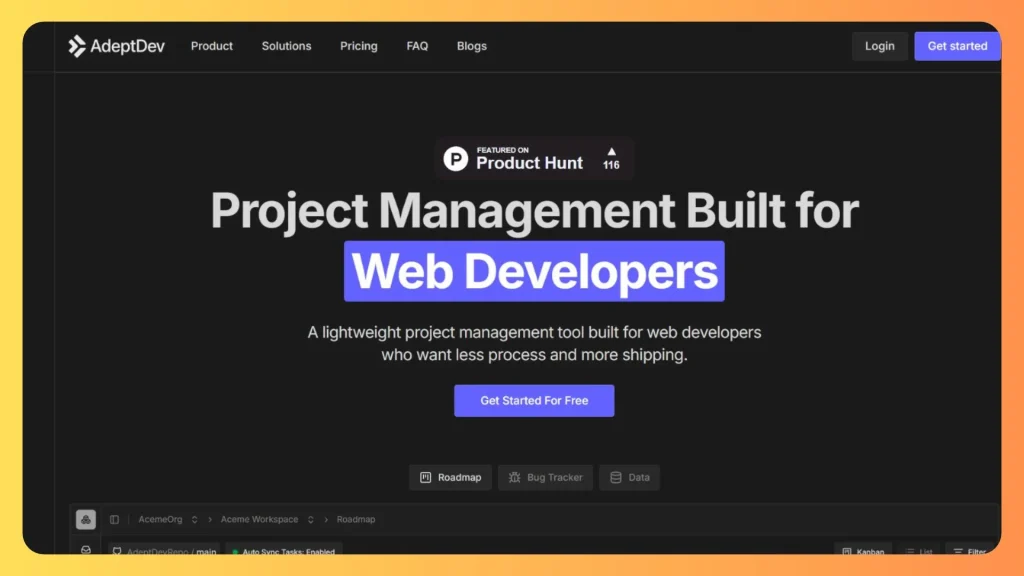
AdeptDev is a project management tool built for web developers. Its stated purpose is to help developers plan features, track bugs and ship faster with less overhead, which suits small build teams that find general purpose suites too heavy. Because the product centers on developer workflow, confirm whether it supports client approvals and status sharing, since its public description focuses on developers. Information about pricing and feature depth was limited in the pages reviewed, so run a trial against your phase plan before committing.
Best for: small development teams that want a lightweight tracker.
Watch for: client facing features, which are not described in its public overview.
3. Webvizio
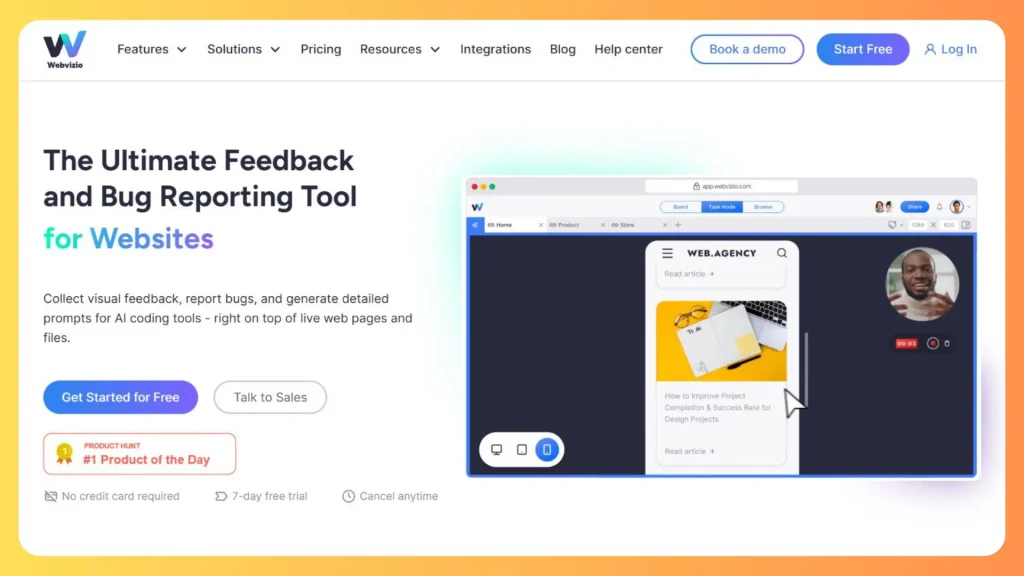
Webvizio is a visual feedback and bug tracking tool that works on live pages. Reviewers click an element and comment, and the tool captures the URL, screenshot, browser, operating system, screen resolution and console logs automatically. That removes much of the back and forth in design review and user acceptance testing. It also annotates images, PDFs and Figma files, includes task boards with deadlines, and connects to Jira, ClickUp, Trello, Slack and WordPress. Clients can leave feedback through a shared link without an account. A 7 day free trial is offered, followed by paid plans.
Best for: the QA and acceptance phase.
Watch for: it complements a planning tool more than it replaces one.
4. Droova
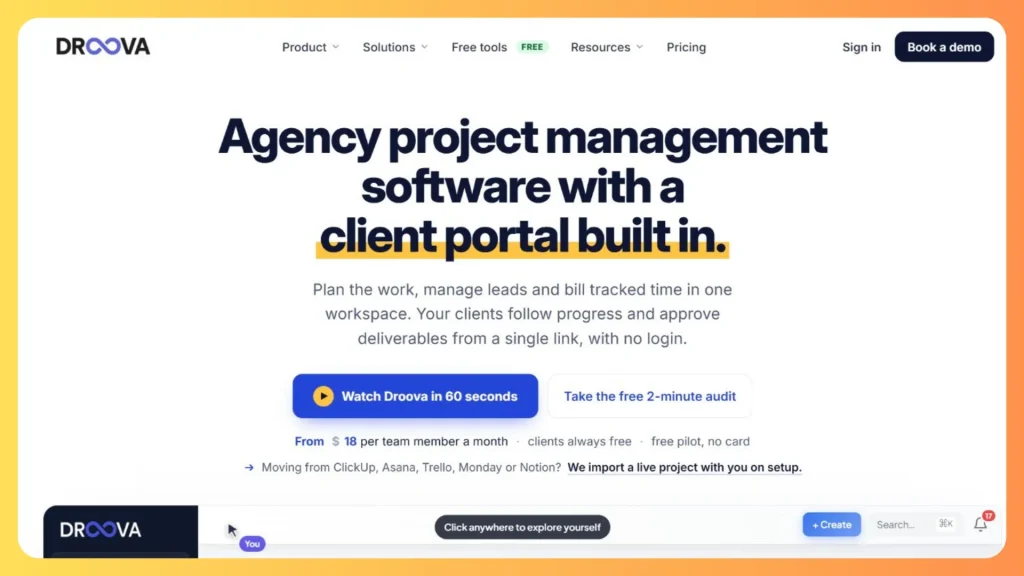
Droova combines project management, a lightweight CRM and a client portal for agencies and consultancies. Clients open a branded link without logging in, review deliverables and approve or request changes. Every decision lands in an approval log, including approvals received by email or WhatsApp, which gives you a record of sign off to support change control. It can draft a project from a one line brief, includes a website build template, tracks time and invoices tracked hours. Pricing is per team member, from €18 a month at the founding price, and clients are always free.
Best for: agencies that need provable client approvals.
Watch for: per seat pricing grows with team size.
5. Taskip
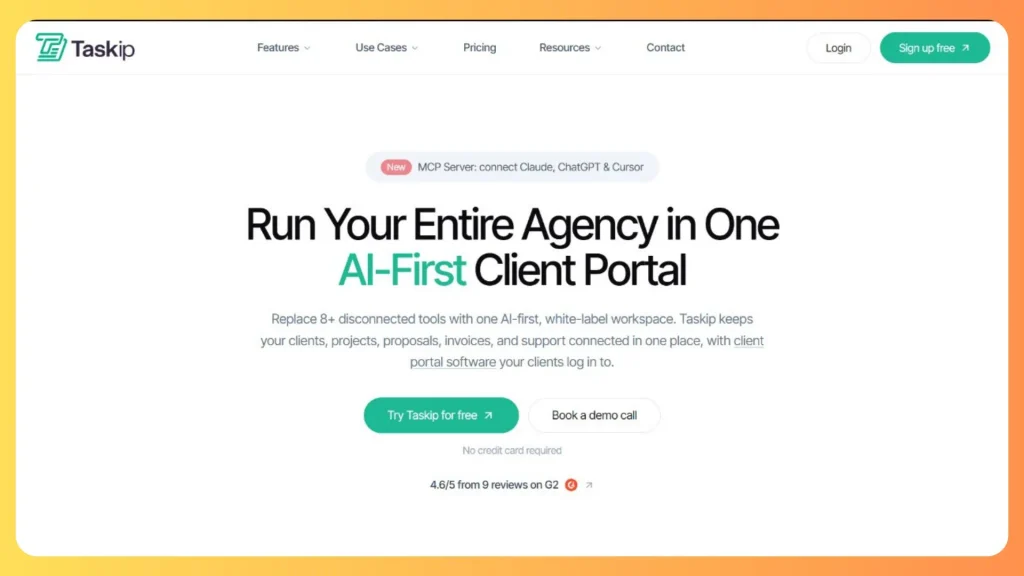
Taskip is an AI first client portal and agency management platform. It covers CRM, projects with kanban, list, Gantt and calendar views, proposals, e signatures, invoicing and support tickets, and it has a dedicated page for web development agencies that describes staging reviews, sign off and launch. Its built in assistant, Taspi, can create tasks and invoices on request, and an MCP server lets assistants such as Claude connect to the workspace. Plans start at $12 a month for one user, paid plans carry a 30 day money back guarantee, and clients join free.
Best for: small agencies replacing several separate tools.
Watch for: breadth means more setup, so pilot it on one real project.
6. Glance
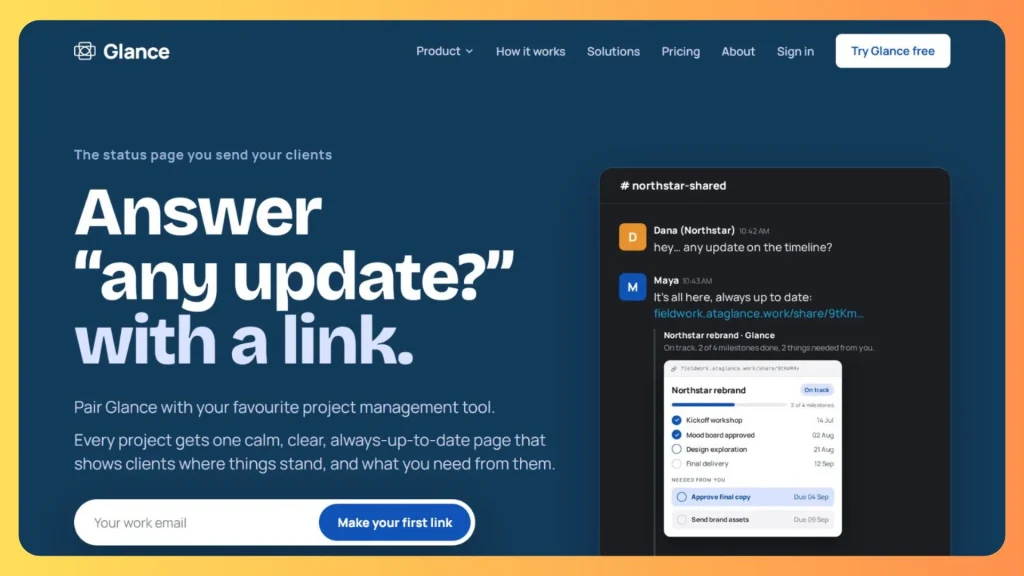
Glance is a simple status page for client projects. Each project gets a read only page that clients open without an account, showing milestones, a timeline, the latest update and the tasks you need from them. It is designed to sit beside your existing project management tool, not replace it, and it keeps your internal tasks hidden from the client. Pricing is per project instead of per seat: one active project is free, and the Growth plan costs $30 a month for three projects with unlimited users, plus $10 a month for each additional project.
Best for: small agencies that want to stop answering “any update?” messages.
Watch for: it is a communication layer, so you still need a tool for task and sprint management.
7. Kaamfu

Kaamfu positions itself as an operational layer for whole organizations, not as a website specific tool. It brings tasks, contextual chat, time tracking and day end reports into one workspace, with an AI assistant called Kai that answers questions from live operational data. Workspace Basic is free, and Workspace Pro is priced at $0.75 per active user per day, so you pay only for days people use it. Optional desktop monitoring adds activity tracking, which some teams find invasive, so set a policy before enabling it. Its site also says self serve signups are opening soon, so confirm availability.
Best for: organizations consolidating many tools.
Watch for: it may be more than a single website build needs.
8. Worklenz
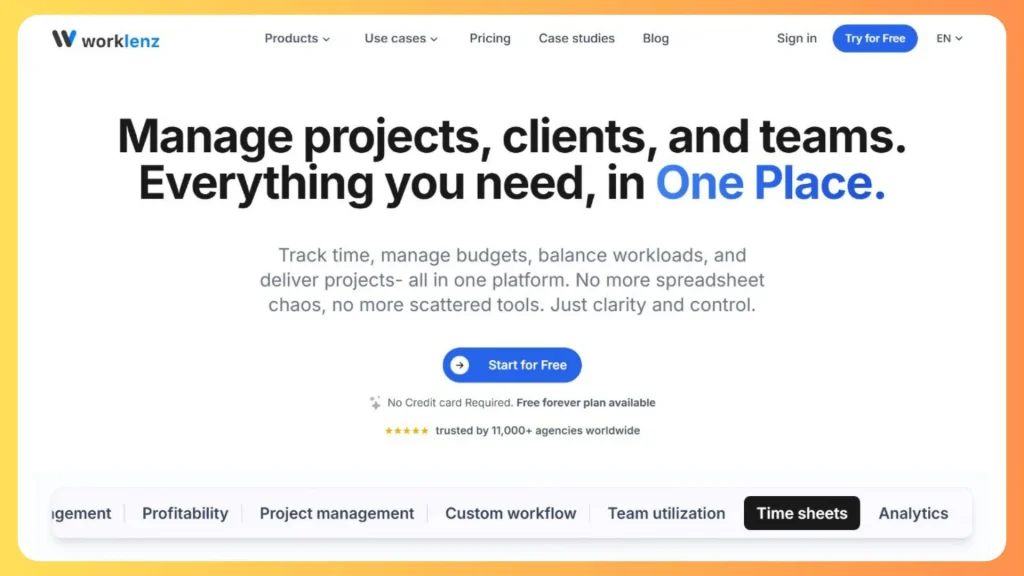
Worklenz is a free, open source project and agency management platform. It covers tasks and dependencies, phases, project templates, time tracking, resource planning, budget versus actual tracking, reporting and a client portal. A free plan is available, a 14 day trial unlocks premium features, and a self hosted version suits teams that want control of their data. According to its FAQ, upgrading unlocks features such as advanced reporting, client portals and integrations.
Best for: agencies that want profitability tracking and resource planning without a paid commitment at the start.
Watch for: confirm which features sit on the free plan before building your workflow around them.
9. Matorral
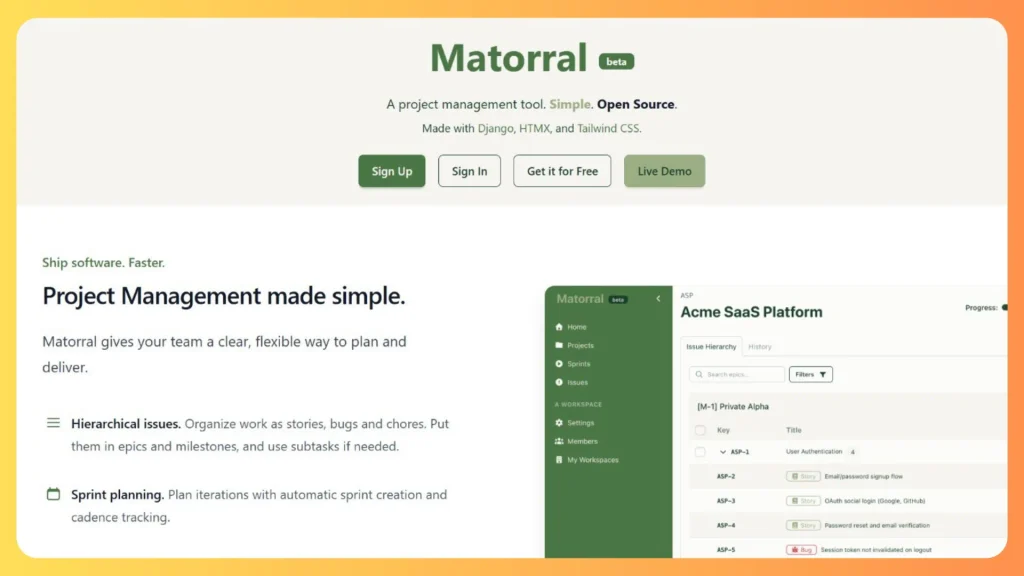
Matorral is an open source project management tool built with Django, HTMX and Tailwind CSS for software teams. It supports stories, bugs and chores with optional subtasks, epics and milestones, sprint planning with automatic cadence tracking, and separate workspaces for different teams. It is labeled beta, a live demo is available, and the code is on GitHub so you can run it yourself. It suits the development phase of a build where a sprint approach fits, though no client portal or invoicing features are described.
Best for: development teams that value open source and want sprint tracking.
Watch for: beta status, so evaluate stability before running a client project on it.
10. Eigenfocus
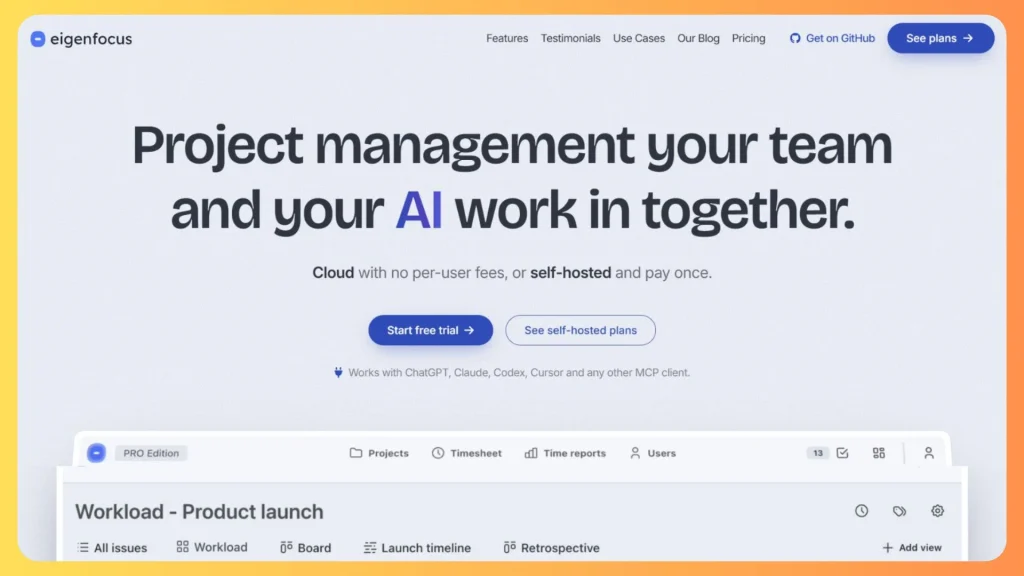
Eigenfocus offers boards, grids, lists and timelines over the same set of issues, with custom fields for estimates and phases, custom workflows and built in time tracking. Its pricing avoids per user fees: cloud plans start at $15 a month for up to five people, and self hosted licenses are paid once ($139 for Essential, $489 for PRO) with unlimited users, plus a free edition. A built in MCP server and REST API let tools such as ChatGPT and Claude read and update projects within your permissions.
Best for: small teams that want predictable cost and flexible views.
Watch for: its public overview does not describe a client portal, so pair it with a way to share status.
Which option fits your situation
| Situation | Consider |
|---|---|
| You want a managed build and no software to run | DevSouq Technologies |
| Developers need lightweight tracking | AdeptDev, Matorral or Eigenfocus |
| Design review and acceptance testing are chaotic | Webvizio |
| Clients keep asking for status updates | Glance |
| You need approvals on record plus billing | Droova or Taskip |
| You care about profitability and resource planning | Worklenz |
| You want to consolidate tools across the organization | Kaamfu |
Common mistakes in website project management
| Mistake | Better approach |
|---|---|
| Starting design before scope is signed | Close discovery with a written scope and exclusions |
| Treating content as the client’s problem with no deadline | Assign content owners and dates in the schedule |
| No single decision maker on the client side | Name one accountable approver per gate |
| Unlimited revision rounds | Set a fixed number of rounds per gate |
| Testing only at the end | Test each template as it is completed |
| Ignoring redirects on a redesign | Build the redirect map during development |
| Buying a tool before defining the process | Map phases and gates first, then choose software |
| Skipping hypercare after launch | Reserve a support window and a named contact |
The DevSouq Scope Clarity Session
A free, 30-minute session where you leave knowing the real cost, real timeline, and real risks of your project, whether you ever build with us or not.
Book Your Free Scope Clarity Session →Conclusion: a repeatable method beats heroics
A predictable website project is mostly sequencing and honesty. Define scope with exclusions, give every phase an exit gate, put content and approvals on the schedule with owners, and price every change before saying yes. Add a launch checklist and a short support window, and most of the drama disappears.
If you would rather hand delivery to a team that already runs this process, DevSouq Technologies offers a free scope clarity session, and its web development page outlines the services and approach. Bring your goals, page types, integrations and content status, and you will leave with a clearer view of cost, timeline and risk.
Frequently asked questions
What is website development project management?
It is the process of planning, scheduling, staffing, building, testing and launching a website so it meets scope, budget and quality goals. A project manager defines phases, assigns roles, tracks dependencies, controls changes and coordinates stakeholders from discovery through launch and early support.
How long does a website development project take?
It depends on site type, content readiness and approval speed. As planning ranges, a brochure site often takes 5 to 10 weeks, a business site 8 to 16, an ecommerce store 12 to 26, and a custom web application 16 weeks or more. Late content and slow approvals are the most common causes of delay.
What does a website project manager do?
A website project manager owns the schedule, scope baseline, risk log and communication. They coordinate designers, developers, content owners and QA, track dependencies such as content and credentials, run change control and confirm launch readiness. They do not make design or architecture decisions; they make sure those decisions happen on time.
Which methodology suits website projects?
Phase gated Waterfall suits fixed scope marketing sites, Agile or Scrum suits evolving web applications, and Kanban suits ongoing maintenance. Many website builds use a hybrid: gated approvals for sitemap and design, then short iterations for development and testing, so stakeholders sign off early without freezing every detail.
How do you prevent scope creep on a website project?
Agree a written scope with explicit exclusions, then route every new request through change control: log it, assess the impact on cost and schedule, and decide to swap, defer or approve a change order. Written sign off at sitemap, design and acceptance testing prevents feedback from looping.
What should a website project plan include?
Include objectives, scope and exclusions, deliverables by phase, roles and responsibilities, a schedule with dependencies, a budget with contingency, a risk log, a communication plan, change control rules, acceptance criteria, and a launch and post launch support plan.
Do I need project management software for a website build?
Not always. A small project can run on a shared spreadsheet and a feedback tool. Software becomes valuable when several people share tasks, clients must approve work, or you track time and dependencies. Choose based on feedback collection, approval records, integrations and pricing model, not feature count.
What does website maintenance cost after launch?
Industry guides commonly put annual maintenance at 15% to 20% of the build cost, plus hosting and security monitoring. Budget for it before launch, and confirm in writing who handles updates, backups and fixes, because unclear ownership is a frequent source of disputes.